Why is My Solder Breaking? A Troubleshooting Guide
Learn why solder joints fail and how to diagnose, fix, and prevent issues across electronics, jewelry, and plumbing. This urgent, practical guide walks you through common causes, step-by-step fixes, and safety precautions.


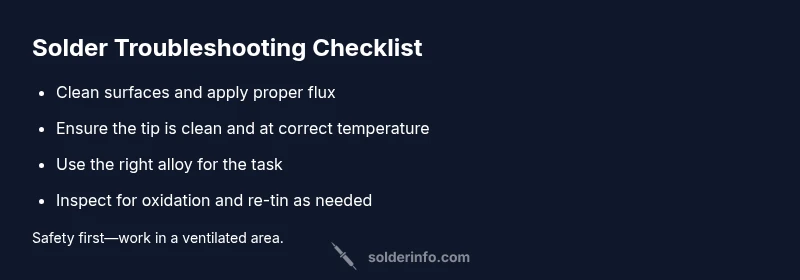
Most solder breaks stem from poor heat control or contaminated surfaces. A cold joint or an overheated joint can crack under stress. Quick fix: reflow the joint with a clean tip, fresh flux, and proper temperature, then inspect for voids or cracks and clean oxidation before re-soldering. If corrosion is present, clean surfaces thoroughly.
Common causes of solder breaking
If you’re asking why is my solder breaking, you’re not alone. The most frequent culprits are a cold joint created by insufficient heat or poor tinning, surface contamination from dust or oil, and oxidation on the copper pad or component leads. A joint that’s overheated can burn flux, lift copper, or form brittle intermetallics that crack with movement. In electronics, even tiny tombstoning or misalignment can translate into mechanical stress that reveals a weak solder later. Jewelry and plumbing soldering share the same root issues: insufficient heat transfer, dirty surfaces, and incompatible flux or alloy. Recognize early warning signs like dull or grainy joints, hairline cracks, or joints that crumble when probed. Addressing these root causes quickly reduces future failures and improves reliability across projects.
Check your surface preparation and flux
Surface prep is where many failures start. Start with clean metal, polished leads, and a residue-free board pad. Contaminants like oil, fingerprints, or old flux impede wetting, forcing the solder to ball up instead of spreading. Use isopropyl alcohol to wipe surfaces and a lint-free cloth before tinning. Choose the right flux for your soldering scenario: rosin-core flux for electronics, water-soluble flux for heavy oxidation tasks, and non-corrosive flux for plumbing. Apply a thin, even coat to ensure good tinning and capillary action during soldering. A neglected prep step often makes the joint look fine but fail under stress later.
Heat control and temperature management
Heat is the single most influential factor in solder joint quality. Too little heat produces a cold joint; too much heat can damage components, lift pads, or degrade flux. For electronics with leaded solder, target tip temperatures around 350-370°C; for lead-free, aim around 370-400°C, adjusting for board thickness and component heat. Use a properly sized tip and avoid blasting heat at a single point; work along the joint to evenly wet the pad and lead. If you notice dull surfaces or insufficient wetting, back off and re-tin the tip, then re-heat with a steady, controlled motion.
Material and equipment considerations
Solder alloy choice matters. Leaded solders typically wet well and tolerate moderate heat, while lead-free requires higher temperatures and more careful flux management. Check the solder wire diameter and its compatibility with the joint geometry—thicker wire can cause excess solder and bridging, while too thin may be hard to feed. Tin the tip and wire consistently to prevent oxide skins. Inspect the iron tip for wear; a worn tip cannot transfer heat efficiently, resulting in cold joints. Use appropriate cleaners and avoid using rusty or corroded tools.
Diagnostic approach: symptoms to diagnosis
A structured diagnostic approach helps you identify root causes rather than treating symptoms. Start with simple checks: is the surface clean, is the tip hot enough, and is the flux appropriate for the task? If joints appear dull, cracked, or lifted, suspect cold joints, oxidation, or pad damage. Probe joints gently with a multimeter in continuity mode to check for intermittent connections. Executing a step-by-step assessment reduces guesswork and speeds up repair without unnecessary risk to components.
Step-by-step fixes for common causes
This section translates diagnosis into action. Begin with the most common issue—rework a weak joint: re-clean the area, re-apply flux, reflow with a properly heated iron, and inspect under magnification for complete wetting. If oxidation is evident, clean the pad and leads, then tin both before re-soldering. For pad lifting or heavy joint failure, you may need to repair traces or use a pad jumper. Always verify the joint visually and mechanically after reflow, then test continuity and resistance to confirm reliability.
Safety, prevention, and best practices
Safety is non-negotiable in soldering. Work in a well-ventilated area, wear eye protection, and keep a damp sponge or brass wire cleaner handy to maintain a clean iron tip. Use the correct flux and avoid cross-contamination between electronics and plumbing tools. Regularly inspect the soldering iron and tips; replace dull or burned tips. Store solder and flux away from heat sources and follow manufacturer guidelines for temperature to prevent accidental damage. By maintaining equipment and practicing consistent technique, you reduce the risk of future failures and extend the life of your joints.
What to do next if problems persist
If joints continue to fail after rework and prep improvements, consider external factors such as component tolerance, board layout, or environmental stress. A recurring issue may signal a design problem, requiring a revised heat profile or a different alloy. When in doubt, pause and re-evaluate, then seek a second opinion or refer to manufacturer datasheets for application-specific guidance. Persistent failures warrant professional review, especially in critical electronics or plumbing installations where reliability matters.
Steps
Estimated time: 45-60 minutes
- 1
Prepare workspace and inspect materials
Set up a clean, well-lit workspace. Inspect solder, flux, and tip condition; replace worn tips and verify solder alloy compatibility. Gather magnification if needed to inspect fine joints.
Tip: Use a magnifier to examine pads and leads for hidden cracks. - 2
Clean and tin the tip
Wipe the tip on a damp sponge and re-tin with fresh solder to ensure smooth heat transfer. A well-tinned tip wicks solder quickly and reduces cold joints.
Tip: Always keep the tip tinned during pauses to prevent oxidation. - 3
Reflow with proper heat and technique
Apply heat along the joint, allowing solder to flow from the wire or lead to the pad. Avoid staying in one spot; maintain even contact and watch for a shiny, smooth fillet.
Tip: Move the iron in a circular or curved motion to promote even wetting. - 4
Clean flux residue and inspect joint
Wipe away flux residue with isopropyl alcohol and inspect the joint under magnification for gaps or voids. Reflow if necessary until a continuous fillet forms.
Tip: Don’t leave flux residues; they can corrode over time. - 5
Test joints under gentle stress
Gently flex the board or probe the joint with a test lead to confirm mechanical integrity. Validate electrical continuity and stable resistance readings.
Tip: If the joint moves, rework until it’s solid. - 6
Document fixes and prevention steps
Record what caused the failure and what was done to fix it. Note any adjustments to heat settings, flux types, or cleaning procedures to prevent recurrence.
Tip: Keep a quick reference guide for future projects.
Diagnosis: Joints crack, lift, or fail under slight bending after soldering
Possible Causes
- highInsufficient heat leading to a cold joint
- highContaminated tips or oxidized surfaces
- mediumExcessive heat causing burnt flux or component damage
- lowUse of wrong flux type or improper cleaning
Fixes
- easyReseat the joint, clean surfaces, and reflow with a properly tinned iron tip and fresh flux
- easyReplace worn tips and ensure tip temperature is within 350-370°C for leaded solder or 370-400°C for lead-free
- easyUse flux compatible with solder and clean with alcohol before reflow
- mediumAvoid overheating; inspect for pad lifting and re-tin pads if necessary
Quick Answers
What is the most common cause of solder breaking?
The most common cause is a cold joint due to insufficient heat or dirty surfaces. Oxidation and dirty pads also lead to weak joints. Proper flux and heat control are essential.
Usually, solder joints fail because they weren’t heated enough or the surface wasn’t clean, leading to a weak joint. Cleaning and reheating with the right flux fixes this.
How can I tell if a joint is cold?
Cold joints appear dull and grainy, sometimes with a lack of drainage or a brittle feel. They may crack under slight bending or show poor wetting. Reflow with clean surfaces and fresh flux to fix.
A cold joint looks dull and cracked; reflow with clean surfaces and good flux for a reliable connection.
Can I reuse old flux or solder?
Old flux loses activity and can cause poor wetting. Use fresh flux appropriate for your soldering task and clean surfaces before reflow.
Avoid reusing old flux; it loses effectiveness and can ruin joints. Use fresh flux instead.
Should I use lead-free solder?
Lead-free solders require higher temperatures and careful flux management. Ensure your iron runs hot enough and use the right flux for lead-free joints.
Lead-free solder needs hotter heat and careful flux—adjust your setup accordingly.
What if joints lift the pad?
Pad lifting indicates board or trace damage. Repair by re-taming traces or replacing affected sections; if severe, consider board replacement.
If the pad lifts, that’s more than a simple fix—repair traces or replace the board in severe cases.
Watch Video
Top Takeaways
- Prepare surfaces and flux correctly before soldering
- Control heat to avoid cold joints and pad damage
- Use proper flux and clean tips to ensure reliable joints
- Inspect joints under magnification for complete wetting
- Document fixes to prevent repeating mistakes