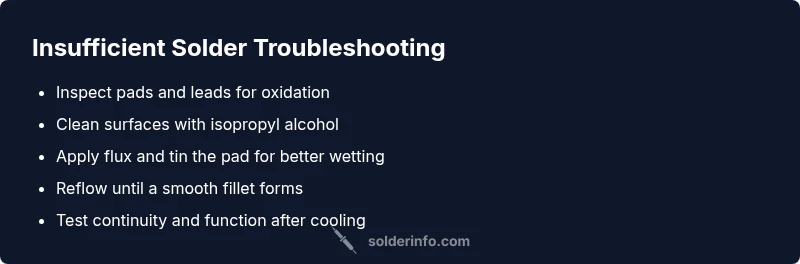
Insufficient Solder Troubleshooting Guide
Urgent guide to diagnose and fix insufficient solder across electronics, plumbing, and jewelry. Learn quick tests, safe rework steps, and prevention tips from SolderInfo.


Essentially, the most likely cause is insufficient solder causing a weak fillet or cold joint. Quick fix: rework with clean pads, fresh flux, and adequate solder while keeping heat consistent. If in doubt, reheat the joint and apply a small amount of solder until a smooth fillet forms.
Understanding insufficient solder
When you hear the term insufficient solder, it refers to a joint that has too little molten solder to create a proper metallurgical bond with the pad and component lead. This can produce a dull or grainy appearance, a fragile fillet, or a connection that breaks under flex or vibration. In electronics, even a tiny void or thin bridge can lead to intermittent failures. In plumbing and jewelry, the same principle applies: a weak fillet can fail under pressure or movement. The root cause is usually a combination of poor surface wetting, insufficient solder quantity, and inadequate heat transfer. By recognizing that phrase early—insufficient solder—you set up a safer, more reliable repair strategy. According to SolderInfo, clean surfaces and correct solder volume are essential for durable joints.
Symptoms and what they mean
Common symptoms of insufficient solder include a dull, lumpy joint, a gap between pad and lead, or a joint that looks cracked when inspected at angle light. In electronics, you may notice intermittent connectivity, flickering LEDs, or unstable readings when using a multimeter. On plumbing, a joint may leak slowly under pressure; jewelry joints may crack with minimal stress. Understanding these signs helps distinguish insufficient solder from other issues like cold joints or misplaced components. Remember: surface oxidation or old flux can mimic the appearance of insufficient solder, so you must inspect under good light and clean surfaces before reworking.
Tools and materials you’ll need
Preparing the right tools reduces the risk of repeating the same problem. Gather:
- a well-tuned soldering iron with appropriate tip size,
- fresh flux (rosin-core for electronics, paste flux for jewelry and plumbing when needed),
- lead-free or leaded solder appropriate for your project,
- a fine tweezers set and magnification for precise placement,
- isopropyl alcohol, a lint-free wipe, and a small brush for cleaning,
- a heat-resistant mat and safety glasses. Having these on hand helps you apply solder cleanly and avoid introducing oxidation or contamination that creates dull joints.
Visual inspection and surface prep
Begin with a clean surface: remove oxidation with isopropyl alcohol and inspect for residue, old flux, or corrosion. If pads are tarnished, gently scrub with a nylon brush. Ensure component leads are straight and properly aligned. When you see any greenish copper or oxide, remove it because poor wetting is a major contributor to insufficient solder. After cleaning, lightly tin the pad or lead with a small amount of solder to improve wetting, then apply flux. This prep reduces the number of failed reworks and improves heat transfer to the joint.
The repair workflow: reflow and verify
The essential step is reflow: heat the joint evenly, apply a small amount of solder, and let it flow into the pad with the lead. Avoid overheating plastic components or PCB traces. After reflow, inspect the fillet: it should be smooth and shiny, forming a firm angle around the lead. If the joint is still dull or has a void, reapply flux and reflow once more, or remove the component and re-solder after cleaning the pad again. Finally, test the joint with a multimeter or functional test to confirm continuity and resistance are within spec. Liquid flux residue should be cleaned after cooling.
Steps
Estimated time: 30-45 minutes
- 1
Prepare workspace and safety
Set up a clean, well-ventilated area with a heat-resistant mat. Put on safety glasses, and ensure your tools are within easy reach. Verify you have the correct solder and flux for the job.
Tip: Always unplug and cool before touching the board; never work near liquids. - 2
Inspect components and pads
Under good lighting, check for oxidation, bent leads, or damaged pads. Clean contaminated areas with isopropyl alcohol and verify alignment before soldering.
Tip: If a pad is damaged, consider jumpers or replacement rather than forcing a bad joint. - 3
Clean and tin the surface
Wipe the pad with isopropyl, apply a small amount of flux, and pre-tin the pad or lead with a thin layer of solder for improved wetting.
Tip: Tinning reduces the risk of cold joints and improves solder flow. - 4
Position the component
Place the component precisely so the lead lands are aligned with pads. Secure with a steady hand or tweezers to prevent movement during heating.
Tip: Use a helping hand tool or flux to hold position if needed. - 5
Apply heat and solder
Touch the tip to the joint and apply solder to the opposite side, allowing capillary action to draw it in. Stop adding solder when a smooth fillet forms.
Tip: Avoid applying solder directly to the iron; let it flow into the joint. - 6
Inspect and test
Let the joint cool, then visually inspect for a shiny, smooth fillet. Test continuity with a multimeter and gently flex the board to check for cracks.
Tip: A proper joint should be mechanically stable and electrically sound. - 7
Clean up and store
Wipe away flux residues with isopropyl alcohol and safely store tools. Document any lessons learned to improve future work.
Tip: Label boards after repair to track what method was used.
Diagnosis: Joint looks dull or flaky; intermittent connectivity or leaks in non-electronic applications
Possible Causes
- highInsufficient solder amount resulting in a weak fillet
- highDirty, oxidized, or contaminated surfaces reducing wetting
- mediumInadequate heat transfer due to wrong tip, flux, or procedure
Fixes
- easyClean surfaces, re-apply flux, and reflow with adequate solder
- easyTin pads/leads lightly before final solder to promote good wetting
- easyRework with a higher-temperature tip and controlled heat to avoid heat-damage
Quick Answers
What causes insufficient solder in a joint?
Insufficient solder is typically caused by poor wetting due to dirty surfaces, insufficient solder quantity, or inadequate heat transfer. Oxidation on pads or leads can also prevent solder from forming a proper fillet. Correcting cleanliness and ensuring enough solder with proper heat usually resolves the issue.
Insufficient solder is caused by poor wetting, dirty surfaces, not enough solder, or heat problems. Cleanliness and proper heat fix it.
How can I tell if a joint is cold or insufficient?
A cold joint looks dull, crumbly, or cracked, and may have a grainy appearance. It often has poor electrical conductivity. Reflow the joint with fresh flux and ensure adequate heat is applied until the fillet is smooth and shiny.
A cold joint looks dull and grainy. Reflow with proper heat and flux until it shines.
What temperature should I use for lead-free solder on electronics?
Lead-free solder typically requires higher temperatures than older leaded solder. Use the smallest tip that heats evenly and monitor temperature to avoid damage to components and boards. Refer to solder manufacturer guidelines for exact ranges.
Lead-free solder needs higher heat; follow the manufacturer guidelines for exact temperatures.
Can flux residue cause insufficient solder?
Flux residue itself doesn't cause insufficient solder, but old or thick flux can hinder wetting and create a barrier to flow. Clean residues after soldering and ensure flux is appropriate for the material and process.
Old flux can hinder wetting; clean residues after soldering.
When should I replace a joint rather than rework?
If a pad is torn, a trace is damaged, or the joint remains unreliable after multiple reflows, replacement or board repair is recommended. Persistent issues may indicate design flaws or component failure.
If the pad or trace is damaged or rework fails, replace the joint or board section.
Watch Video
Top Takeaways
- Test joints for wetting and flow before assembly
- Keep surfaces clean to prevent oxidation
- Use proper flux to improve solder flow
- Reflow with consistent heat for durable joints