How Often to Tin a Soldering Iron: A Practical Guide
Learn how often to tin a soldering iron to maximize heat transfer, tip life, and joint quality. This guide covers timing, signs of wear, and safe maintenance for electronics, jewelry, and plumbing soldering.


To maintain reliable heat transfer and avoid oxidation, tin your soldering iron tip at the start of every session and after any cleaning or cooling. Keep a thin, shiny coat of solder on the tip for quick wetting and cleaner joints. If the tip looks dull, oxidized, or won’t wet, re-tin promptly or replace the tip.
What tinning accomplishes and why it's essential
Tinning the tip of your soldering iron creates a protective, conductive surface that improves heat transfer and joint quality. A thin, shiny coat of solder on a clean tip wets rapidly to the workpiece, helping you form solid connections with less effort. When the tip is properly tinned, it resists oxidation and corrosion, extending tip life and reducing the risk of cold joints. According to SolderInfo, establishing a regular tinning habit at the start of each session and after cleaning is one of the simplest, most effective ways to raise the reliability of your electronics, jewelry, or plumbing projects. In practice, tinning also makes tip maintenance quicker: you spend less time struggling with oxidized tips and more time building good solder joints. You should always ensure the tip is clean and flux is ready before tinning, and you should re-tin if the coating looks dull or flaky.
Tools & Materials
- Soldering iron (with adjustable temperature)(Ensure temperature control and a clean, short tip for best tinning results.)
- Solder (rosin-core or lead-free)(Choose a compatible alloy for your project and flux type.)
- Flux(Fluxe aids wetting; use flux appropriate for the solder you choose.)
- Tip cleaner or brass sponge(Keep a damp sponge or brass wool pad handy to remove oxidation before tinning.)
- Tip tin/flux remover or a commercially available tip tinner(Optional tool to remove heavy oxidation and restore tinning more easily.)
- Ventilation or fume extractor(Always work in a well-ventilated area.)
Steps
Estimated time: 5-15 minutes per session
- 1
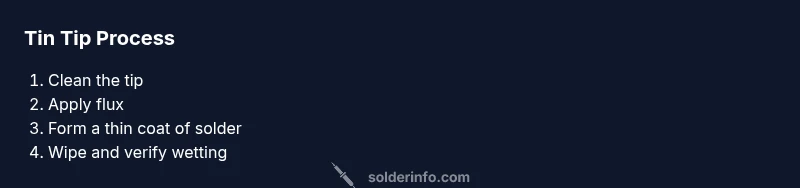
Clean the tip
Wipe the soldering iron tip on a damp sponge or brass wool to remove heavy oxidation and any dried solder. A clean surface ensures the new tin coating adheres evenly. This quick wipe also prevents contaminants from getting trapped under the tin layer.
Tip: Starting with a clean tip reduces the chance of dulling the tin coat or trapping oxides under the new layer. - 2
Apply flux to the tip
Apply a small amount of flux to the tip so the new solder wets quickly and evenly. Flux lowers surface tension and helps the tin bond to the metal.
Tip: Flux is essential for consistent wetting; avoid saturating the tip with flux, which can cause spattering. - 3
Melt and transfer a thin coat of solder
Touch the solder wire to the heated tip and allow a thin, even pool to form along the tip's edge. Remove heat and gently spread the solder with the tip to create a smooth layer.
Tip: A thin coat is key—too much solder creates drag and poor heat transfer. - 4
Wipe away excess and verify wetting
Wipe off excess solder on the damp sponge so the tip surface is only lightly coated. Test wetting by brushing the tip on a scrap copper or PCB pad to ensure the layer wets immediately.
Tip: Across-minute verification saves time during actual soldering. - 5
Re-tin after use or cooling
If the tip dries out during work, re-tin it before resuming to maintain a ready-to-wet surface. For tips showing heavy oxidation, re-tin or use a tip tinner before continuing.
Tip: Regular re-tinning prevents oxide buildup and extends tip life. - 6
Store and protect the tip
After finishing, wipe the tip clean and tin it lightly before powering down. Store with the iron tip protected and covered if possible to minimize oxidation between sessions.
Tip: A quick end-of-session tin helps readiness for the next project.
Quick Answers
Do I need to tin the tip every time I solder?
Yes. Tin the tip at the start of each session and after cleaning or cooling to maintain a clean, conductive surface. This habit improves heat transfer and minimizes cold joints.
Yes. Tin the tip at the start of every session and after cleaning to keep it clean and ready for soldering.
What if my tip won’t wet even after tinning?
If the tip won’t wet, clean it again, apply fresh flux, and re-tin. If oxidation persists, consider using a tip tinner or replacing the tip.
If it won’t wet, clean, flux, and re-tin. If oxidation remains, replace the tip.
Can you over-tin a tip?
Yes. A heavy tin coating can hinder heat transfer and trap more oxides. Apply a thin, even coat and remove excess.
Yes, avoid a thick coat; a thin, even layer works best.
Is tinning necessary with lead-free solder?
Tinning remains beneficial with lead-free solder for consistent wetting and longer tip life. Use appropriate flux and clean regularly.
Yes, continue tinning with lead-free solder for reliable joints.
How often should I replace a worn tip?
Replace a tip when its coating is consistently dull, pitted, or if it no longer wets well after re-tinning. Regular inspection helps prevent poor joints.
Replace when the tip is worn or won’t wet properly even after tinning.
Are there differences for electronics vs plumbing soldering?
The tinning principle is the same, but flux choice and solder alloy differ. Electronics prefer rosin-core or water-soluble fluxes; plumbing uses flux compatible with copper piping and the chosen solder.
The same tinning idea applies, but pick flux and solder suited to the task.
Watch Video
Top Takeaways
- Tin at the start of each session and after cleaning.
- Keep a thin, shiny coat for quick wetting.
- Re-tin when oxidation appears or after heavy use.
- Use flux to improve wetting and reduce oxidation.
- Regular maintenance extends tip life and improves joint quality