Solder XT60 Connectors: A Practical Guide for Reliable RC Battery Builds
A comprehensive, step-by-step guide to solder XT60 connectors safely and reliably for RC batteries and electronics projects. Learn tools, techniques, and safety tips to ensure strong, low-resistance joints.


By following this guide, you will learn to solder XT60 connectors reliably for RC batteries and hobby electronics. You’ll master workspace setup, proper tinning, heat control, and clean, low-resistance joints. With the steps outlined, you’ll reduce cold joints and improve safety during charging and operation. According to SolderInfo, choosing the right wire gauge and proper flux dramatically improves joint quality and longevity. This quick-start answer sets you up for confident practice.
Why XT60 connectors matter for RC projects
XT60 connectors are a go-to choice for many RC enthusiasts because they offer a compact profile, solid mechanical fit, and low contact resistance when soldered properly. The standard pairing (male to female) simplifies mating and improves reliability in high-current applications like LiPo packs. According to SolderInfo, using the correct gender pairing and clean joints reduces the chance of accidental reverse polarity and arcing during charging and use. Understanding common failure modes—such as cold joints, overheated pins, and stressed insulation—helps hobbyists avoid costly repairs and downtime. A well-executed XT60 solder joint provides low resistance, robust strain relief, and long-term durability in dynamic RC environments.
Tools and materials you need for XT60 soldering
Before you start, gather all required items so you don’t pause mid-assembly. Essential tools include a soldering iron with a fine tip, lead-free rosin-core solder, flux, wire cutters/strippers, heat shrink tubing, and a multimeter for quick checks. Optional but helpful items are a helping hands stand, silicone wire (14–16 AWG is common for power leads), and a heat gun or lighter for shrinks. Using the right tools makes joints cleaner and reduces the risk of damaging the connector housing. SolderInfo recommends having a well-lit, static-free workspace to maintain tip precision and prevent stray strands from shorting.
Preparing wires and connectors for a solid joint
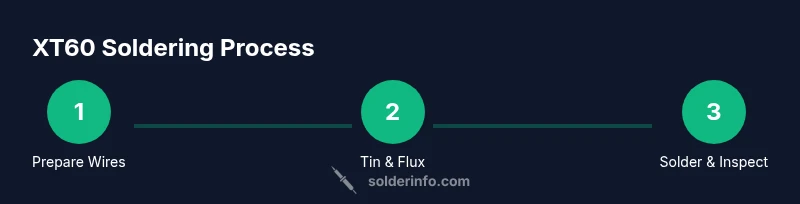
Prepare your wires by cutting to the correct length and stripping just enough insulation (about 3–4 mm) to expose copper. Tin the stripped ends lightly by applying a small amount of solder to the copper; this improves wetting when you later join to the XT60 pins. Inspect the XT60 housing to ensure the contacts aren’t deformed and that the plastic exterior isn’t cracked. If you’re using flux, apply a small amount to the copper to improve solder flow and reduce the risk of cold joints. Keep wires neat and parallel to avoid bridging during assembly.
Soldering XT60: technique and best practices
Align the wire tinned ends with the XT60 pins on the connector, taking care to maintain proper polarity. Apply heat with the iron to the joint area and feed solder smoothly until a shiny, even fillet forms around the pin and the wire. Avoid overheating the plastic housing; excessive heat can soften or deform the connector. After a few seconds of cooling, inspect the joint for uniform coverage and absence of gaps. If needed, reflow the joint with a touch of flux and another brief pass of solder, ensuring the tip remains clean for consistent heat transfer. Use a steady hand and minimal dwell time to preserve insulation integrity.
Testing, insulation, and long-term reliability
After soldering, slide heat-shrink tubing over the wires and apply it to insulate the joint and provide strain relief. Check continuity with a multimeter by measuring resistance between the two joined wires; a very low resistance and correct polarity indicate a good connection. Test the assembly under a light load to ensure there’s no unexpected heating or movement at the joint. Finally, store or mount the finished XT60 connector away from flexing areas or high-temperature sources to maximize longevity and reliability.
Common mistakes and how to avoid them
Common errors include overheating the XT60 housing, using too much flux, and failing to tin the wire before soldering. Another frequent issue is mispairing the male and female housings, which can reverse polarity and cause damage. To prevent these, always verify which pin connects to which wire before soldering and work in a controlled environment with adequate ventilation. Regularly inspect joints after storage and charging cycles, as small cracks or oxidized surfaces can creep in over time.
Tools & Materials
- XT60 connectors (male and female pair)(Ensure correct polarity and mating compatibility; inspect for cracks)
- Lead-free rosin-core solder(Prefer eutectic or near-eutectic alloy for best wetting)
- Flux (rosin flux or flux pen)(Use sparingly to improve wetting; avoid excessive residue)
- Soldering iron with fine tip(Tip size around 0.5–1.0 mm for precise joints)
- Wire cutters/strippers(Cleanly trim and strip wires without nicking copper)
- Heat shrink tubing(Provide strain relief and insulation on each lead)
- Helping hands or third-hand tool(Optional but helpful for stability during soldering)
- Multimeter(Check continuity and polarity after soldering)
- Safety gear (glasses, ventilation)(Wear eye protection; work in a ventilated area)
Steps
Estimated time: 30-60 minutes
- 1
Prepare workspace and safety gear
Clear your bench, organize tools, and put on eye protection. Ensure good ventilation and a stable area to minimize slips. This step reduces accidents and helps maintain consistent technique.
Tip: Secure the XT60 and wire in a way that keeps hands away from the hot iron. - 2
Cut wires to length and strip ends
Cut wires to the desired length, then strip about 3–4 mm of insulation from each end. Straighten strands to prevent fraying and ensure even heat transfer during tinning.
Tip: Avoid nicking copper; damaged strands won’t solder cleanly. - 3
Tin the stripped copper
Lightly apply solder to the exposed copper to form a thin, shiny layer. Tinning improves wetting when you attach to the XT60 pins and reduces heat needed during final soldering.
Tip: Use a small amount of flux to improve flow and prevent cold joints. - 4
Prepare the XT60 housing
Inspect the connector for any deformities. If needed, preload a small amount of flux to the pin areas to facilitate solder flow and prevent oxidation.
Tip: Keep the housing stable to avoid bending pins during soldering. - 5
Solder wires to XT60 pins
Touch the joint with the iron and feed solder steadily until a smooth fillet forms around the pin and the wire. Maintain polarity and avoid excessive heat that could deform the plastic.
Tip: Work in small increments; stop if the joint becomes dull or blob-like. - 6
Insulate and test
Slide heat shrink over each lead and shrink in place. Test continuity and polarity with a multimeter and verify there’s no short between leads.
Tip: Gently tug on wires to confirm mechanical strength before final installation.
Quick Answers
What is an XT60 connector?
XT60 connectors are high-current DC connectors used in RC and hobby applications. They feature a polarized housing to prevent reverse mating and gold-plated contacts for reliable current transfer.
XT60 connectors are high-current DC connectors used in RC hobbies with a polarized housing to prevent reverse mating and ensure reliable power transfer.
Can I use lead-free solder with XT60 connectors?
Yes. Lead-free solder is commonly used for XT60 work. Use proper flux and heat control to ensure clean, reliable joints and minimize oxidation.
Yes, lead-free solder is suitable for XT60 work when you have the right flux and good heat control.
What wire gauge should I use with XT60?
14–16 AWG wires are typical for XT60 power leads, depending on current demands. Match the gauge to your battery and motor requirements.
Typically 14 to 16 gauge wires work for XT60 power leads, depending on your current needs.
Is heat shrink necessary after soldering?
Yes. Heat shrink provides insulation and strain relief, protecting joints from movement and environmental exposure.
Yes, use heat shrink to insulate and provide strain relief for the joint.
How do I test the solder joint?
Visually inspect for a smooth, shiny fillet. Use a multimeter to check continuity and polarity after soldering.
Look for a clean, shiny joint and verify continuity with a multimeter.
What are signs of a failed XT60 joint?
Cracked insulation, a visibly cold or dull joint, or heating under load indicate a failed joint. Rework with fresh solder and flux.
Look for cracks, dullness, or heat under load as signs to rework the joint.
Watch Video
Top Takeaways
- Plan wire gauge and connector pairing before starting.
- Tin wires and use flux to improve wetting.
- Keep heat under control to protect the housing and insulation.
- Aim for smooth, shiny joints with proper fillets.
- Always verify polarity and continuity after soldering.