How to Solder XT60 Connector: Step-by-Step Guide
Learn to solder an XT60 connector safely and reliably with a clear, step-by-step approach: prep, tinning, insulation, testing, and best practices for durable RC power connections.


In this guide you will learn how to solder an XT60 connector to a power wire with clean joints, reliable electrical contact, and a tidy finish. You’ll prep the wire, tin the leads, secure the connector, apply flux, and verify continuity. By following these steps, you’ll achieve durable joints suitable for RC power systems and hobby projects.
What is an XT60 connector and why solder it correctly matters
XT60 connectors are widely used in RC power systems and battery packs due to their robust current handling and secure mating. A well-soldered connection minimizes resistance, heat buildup, and voltage drop, which translates to better performance and reliability in remote-controlled cars, drones, and power tools. According to SolderInfo, understanding the connector’s housing, contacts, and pin orientation helps you position wires correctly and prevents accidental shorts during assembly. In this section you’ll learn what a good joint looks like and what common mistakes to avoid, such as cold joints, insufficient wetting, or melting the plastic housing. With the right preparation and technique, you’ll achieve clean, durable joints that stand up to vibration, flexing, and temperature changes typical in hobby electronics.
Key concepts to grasp include the pin orientation, the two-terminal polarity, and the importance of a smooth, shiny solder fillet that covers the conductor and terminal surface without bridging to the housing.
Safety considerations and workspace setup
Before you touch the soldering iron, set up a clean, well-lit workspace with adequate ventilation. Solder fumes can irritate eyes and lungs, so work in a ventilated area or use a fume extractor if available. Wear safety glasses to protect your eyes from splashes, and keep flammable materials away from the bench. Keep your power supply unplugged while preparing components, and plan your wire routing to avoid tension on the joint. The plastic XT60 housing can melt if exposed to excessive heat, so use a steady, controlled motion and minimize dwell time on any one spot. SolderInfo emphasizes that a calm, deliberate approach yields better joints and reduces the risk of damaging the connector.
Also consider keeping a small bowl of isopropyl alcohol for quick cleaning of flux residue and a clean cloth to wipe the tip between uses.
Preparing the workspace and selecting wire
Choosing the right wire and workspace is the foundation of a reliable XT60 solder joint. Use flexible, stranded wire with a suitable gauge to handle the intended current while keeping the bend radius gentle to avoid strain on the joint. A common hobbyist choice is 14–16 AWG stranded silicone-insulated wire for power leads. Secure the XT60 housing in a helping hands tool or a small vise to keep it from moving while you work. Prepare a tidy bench area, organize tools, and keep spare heat shrink tubes within reach. The better your preparation, the less fiddling you’ll do during soldering, which reduces heat exposure to the plastic housing and improves joint quality.
Stripping and tinning wire ends
Strip the insulation cleanly, exposing about 6–7 mm of conductor for each lead. Twist the strands to reduce fraying, then apply a light coat of flux if you’re using non-flux solder. Tin the exposed wire ends by applying a small amount of solder and letting it flow evenly along the strands. The goal is a bright, shiny finish with smooth wetting, not a heavy blob that extends beyond the terminal. If strands are frayed, trim and re-strip. A properly tinned wire acts as a heat sink and helps prevent cold joints and overheating the XT60 housing during soldering.
Tin the XT60 terminals and prepare the housing
Inspect the XT60 housing terminals for oxidation or dirt and clean as needed. Apply a small amount of solder to each terminal to pre-wet the copper pad; this is known as tinning and helps the main joint wet evenly. Align the stripped wire leads parallel to the terminals so solder can flow cleanly. If using flux, apply a light touch to the terminal surfaces to improve wetting and reduce the chance of cold joints. Keep the joint compact and avoid bridging adjacent pads. The goal is a neat, consistent tin coat on the terminals ready to receive the wire leads.
Soldering the joint: making a strong connection
Position the already-tinned wire onto the tin-coated XT60 terminals. Apply heat to the joint area, not directly to the wire, and feed a small amount of solder into the wetted surface to form a solid fillet. Avoid touching the plastic housing with the iron and keep dwell time short to prevent melting the housing. A good joint presents a smooth, continuous fillet that fully covers the conductor and terminal surface. If you see a dull or cracked joint (a sign of a cold joint), reheat and apply a touch more solder. After cooling, gently tug the wires to test for a solid bond.
Insulation, strain relief, and finishing touches
Slide heat shrink over the joint before you start if possible; otherwise position it as soon as the joint cools enough. Use heat to shrink the tubing evenly, ensuring the joint is fully insulated. Confirm there is no exposed copper that could short to the frame or neighboring conductors. Create some strain relief near the connector by grouping the wire with a small segment of heat shrink or silicone tubing that reduces flexing at the joint. Visually inspect for a consistent fillet, neat edges, and no solder bridges. A well-insulated joint not only lasts longer but also helps maintain safe operation in dynamic RC environments.
Testing and inspection
Verify your XT60 solder joint with a continuity check using a multimeter to ensure a low-resistance path between the wire and the terminal. Check there’s no short to the connector housing or adjacent conductors. Gently flex and rotate the wires to simulate real-world movement and observe for any cracks in the solder fillet or insulation. If issues appear, rework the joint or re-strip and re-solder. Thorough testing is critical to prevent field failures in RC applications, and it aligns with recommended best practices from SolderInfo.
Maintenance, troubleshooting, and best practices
Store your soldering kit in a dry, organized location to preserve the tip and prevent corrosion. Regularly inspect XT60 connectors for wear, oxidation, and loose tolerances. If a joint shows abnormal heat or stiffness, rework it before use. SolderInfo analysis shows that consistent technique and careful inspection significantly extend connector life in real hobby scenarios. By following a disciplined approach, you’ll minimize risk and produce dependable power connections for RC cars, drones, and other projects.
Tools & Materials
- XT60 connector (male and female pairing)(Choose the correct gender for your setup)
- Flexible wire 14-16 AWG, stranded(Silicone insulated preferred)
- Lead-free rosin-core solder, 0.8-1.0 mm diameter(Sn99 or similar)
- Rosin flux (optional, liquid or pen)(Can improve wetting)
- Flux remover or isopropyl alcohol 99%(For post-solder cleanup)
- Heat shrink tubing, 6-8 mm diameter(Cover joint and provide strain relief)
- Soldering iron 40-60W with a fine tip(Temperature-controlled preferred)
- De-soldering wick or solder sucker(For correcting mistakes)
- Wire stripper(Accurate stripping length)
- Multimeter for continuity check(Verify truly connected and isolated)
- Safety glasses(Eye protection from molten solder)
- Helping hands or third-hand tool(Eases precise positioning)
Steps
Estimated time: 25-40 minutes
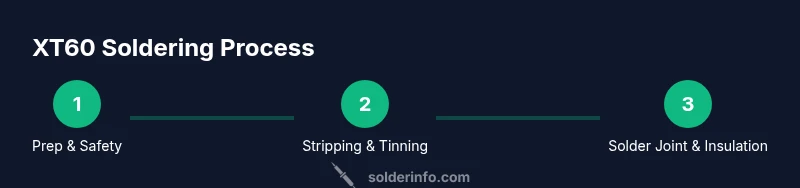
- 1
Set up workspace and safety
Clear a well-ventilated area, secure the XT60 housing in a helping hands stand, and put on safety glasses. Preheat the iron to a moderate setting. This stage prevents accidents and protects components.
Tip: Clamp the connector so it cannot shift during soldering. - 2
Prepare wires and housing
Select the correct gauge and strip 6–7 mm of insulation from each wire. Twist strands to prevent fraying and position the wires for parallel alignment with the terminals.
Tip: Keep wire ends straight to ensure clean wetting. - 3
Tin the wire ends
Apply a small amount of solder to each stripped wire end to create a thin, even coating. The tinning reduces heat needed during the final joint and helps prevent cold joints.
Tip: Don’t oversolder; a light coat is enough to wet the strands. - 4
Tin the XT60 terminals
Pre-wet the XT60 terminals with a small amount of solder. This improves wetting when you bond the wires to the terminals and reduces the chance of a poor joint.
Tip: Keep the joint compact; avoid long tines that can bridge to adjacent pads. - 5
Attach wires and position
Place the tin-coated wire onto its terminal on the XT60 housing, ensuring proper alignment with minimal stray strands. Use gentle pressure to hold it in place.
Tip: Use a helping hands tool to maintain steady contact without bending the wire. - 6
Make the solder joint
Apply heat to the joint while feeding a small amount of solder into the wetted area. The joint should form a smooth fillet that covers the conductor and terminal surface. Avoid overheating the housing.
Tip: Dwell time should be short; lift the iron as soon as the fillet is formed. - 7
Insulate and test
Slide heat shrink over the joint and apply heat to shrink evenly. Inspect for exposed copper and test continuity with a multimeter. Gently flex the wire to confirm mechanical stability.
Tip: Perform a quick pull test to ensure there is no movement at the joint.
Quick Answers
Do I need to tin the XT60 pads before soldering?
Yes. Tinning the pads improves wetting and helps create a solid fillet when you apply the wire. It reduces the chance of cold joints and ensures a quick, reliable connection.
Yes. Tin the XT60 pads first to improve wetting and create a solid joint.
What temperature should I solder XT60 connectors at?
Use a moderate temperature that allows the solder to flow without overheating the plastic housing. Let the parts heat up evenly and avoid prolonged contact with the plastic.
Use a moderate heat and avoid overheating the plastic housing.
Can I reuse a damaged XT60 connector?
If the housing or terminals show signs of damage, corrosion, or deformation, replace the connector. Reusing a compromised connector risks short circuits and unreliable power delivery.
If it's damaged or deformed, replace it rather than reuse.
Should I always use flux when soldering XT60s?
Flux improves solder flow and helps formation of a clean joint. If your solder is rosin-core, flux is often not required, but flux can make wetting more reliable in difficult joints.
Flux helps the solder flow and makes the joint easier to form.
How do I verify the joint after soldering?
Check continuity with a multimeter and visually inspect for a smooth, shiny fillet without bridges. Apply a gentle flex test to ensure the joint remains stable under movement.
Test continuity and look for a smooth fillet; gently flex to check stability.
What wire gauge is best for XT60 wiring?
Common choices are 14-16 AWG stranded wire for power leads. Choose a gauge that handles your current and keeps the bend radius manageable to prevent future strain.
14-16 AWG is typical; pick based on current and flex needs.
Watch Video
Top Takeaways
- Tin wires and terminals before joining to ensure reliable wetting.
- Keep heat focused on joints; avoid melting housing or insulation.
- Use heat shrink and strain relief for durable connections.
- Test continuity and inspect visually to prevent field failures.
- Follow a consistent process to improve long-term reliability.