When to Change Solder Tip: A Practical Guide
Learn the signs that indicate a solder tip needs replacement, how to choose the right tip, and a safe, step-by-step process to maintain clean joints and reliable heat transfer in electronics, jewelry, and plumbing work.


Goal: identify when a solder tip needs replacement, recognize wear signs such as pitting, oxidation, and dull heat transfer, and perform a safe, step-by-step tip change across electronics, jewelry, and plumbing soldering tasks. You’ll learn proper cleaning, selecting the right tip, and verifying heat performance after installation.
Why tip wear matters
In soldering, the tip is the primary interface between your iron and the work. A worn, dirty, or corroded tip struggles to transfer heat efficiently, leading to cold joints, longer work times, and inconsistent connections. The decision of when to change solder tip is not arbitrary; it rests on observable wear, performance changes, and safety considerations. According to SolderInfo, tip wear affects heat transfer quality and can increase the risk of cold joints if neglected. Keeping the tip in good condition is part of a reliable soldering workflow and contributes to safer, cleaner joints across electronics, jewelry, and plumbing tasks. This is not about chasing perfection, but about recognizing practical signals that indicate it’s time to replace for dependable performance.
- The first signal is reduced heat transfer—your joints feel dull or require higher temperatures to melt solder. This happens when the tip has oxidized or pitted and can no longer wet properly.
- Visible wear such as pitting, scratches, or heavy oxidation is another red flag. A tip that looks rough or has a dark, crusty surface is unlikely to wet evenly.
- Irregular solder bead formation, frequent splashes of solder away from the joint, or spatter can indicate a degraded tip or a poor tinning layer. These cues often accompany reduced control and can frustrate even experienced hobbyists.
- Safety and maintenance also matter. A damaged tip can expose you to hotter surfaces or splatter, increasing skin burns risk and creating a mess that’s harder to clean.
Remember, the goal is consistent heat delivery and clean wetting of solder. If you notice persistent issues after cleaning and re-tinning, it’s usually time to replace the tip. This can happen across electronics, jewelry, or plumbing work, and recognizing it early saves time and effort in longer projects.
Signs your solder tip is worn out
A worn tip shows predictable signs that you can inspect quickly between sessions. Look for: (1) oxidation that won’t clean off with a brass sponge or tip cleaner, (2) a rounded, eroded chisel edge or blunt cone, (3) discoloration around the tip base, and (4) unstable solder flow that requires flushing or re-tinning more often than usual. A worn tip often struggles to wet solder properly, causing oxidized beads that don’t flow smoothly into joints. In contrast, a fresh, properly tinned tip will produce bright, smooth beads with minimal effort. The SolderInfo team notes that wear patterns vary with usage, but the core indicators remain consistent: poor heat transfer, poor wetting, and visible wear.
Factors that accelerate tip wear
Tip wear is not caused by bad technique alone. Several factors accelerate deterioration: (1) high operating temperatures for long periods, (2) frequent thermal cycling (heating and cooling repeatedly), (3) applying excessive contact pressure, (4) using low-quality or dirty solder that leaves flux residues or oxides on the tip, and (5) improper cleaning that damages the protective tin layer. Different tip geometries wear differently: sharp conical tips may degrade faster from repeated heating cycles, while chisel tips may develop a worn edge along one side if the iron is kept at a constant high temperature. Understanding these factors helps you plan preventive maintenance and decide when to swap tips.
How to prevent premature tip wear
Prevention is better than replacement. Effective strategies include: (1) keeping the iron at a stable, appropriate temperature for the task, (2) using lead-free solder with a proper flux core to reduce oxidation, (3) cleaning the tip with a brass sponge or a dedicated tip cleaner rather than a wet sponge that can shock-cool the tip, (4) tinning the tip immediately after use to protect the surface, (5) storing tips in a clean, dry environment to avoid corrosion, and (6) inspecting tips regularly for signs of dullness or pitting. Invest in the right tip shape for your work—a broad chisel for large joints and a fine tip for precision work helps reduce undue wear.
How to change a solder tip safely
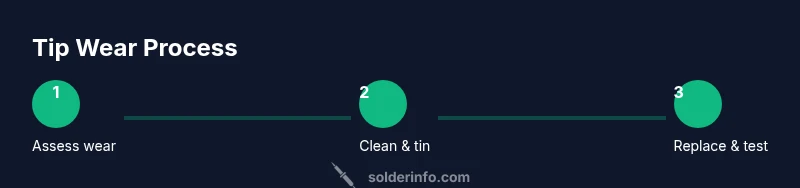
Changing a solder tip is a routine maintenance task, but it carries burn and heat risks. Start by powering down the iron and unplugging it. Allow it to cool completely before touching the tip. Use protective gear and work on a nonflammable mat. Remove the old tip following your iron’s specific method (some tips twist off, others lift with a tool). Align and secure the new tip, then re-tin and test on a scrap pad before resuming work. Properly stored tips last longer and stay clean if you avoid moisture and dust.
Aftercare: tinning and maintaining a clean tip
After replacing a tip, immediately tin it with fresh solder to form a thin protective layer that reduces oxidation. Wipe away excess solder and flux from the tip surface during use. Regular cleaning is essential: use brass wool, or a wet sponge only if your iron supports it. If the tip looks dull again, re-tin or consider a new compatible tip. A routine maintenance cadence, matched to your workload, keeps performance high and reduces the risk of cold joints in future projects.
Tools & Materials
- Soldering iron(Temperature control preferred; solid tip holder/retention)
- Replacement solder tip(Match tip geometry to your iron (conical, chisel, etc.))
- Solder (lead-free preferred)(Rosin-core solder for easier wetting)
- Tip cleaner (brass sponge or brass wire)(Prevents oxidation and aids wetting)
- Isopropyl alcohol (70% or higher)(For surface cleaning if flux residue remains)
- Safety glasses(Eye protection during tip removal and heating)
- Heat-resistant mat or silicone pad(Protects workspace and keeps iron steady)
- Tweezers or pliers(Handle hot tips safely)
- Soldering flux (optional)(Helps wetting on oxidized surfaces)
Steps
Estimated time: 20-30 minutes
- 1
Power down and cool
Turn off and unplug the iron. Allow the tip to cool completely on the heat-resistant mat before touching it. This reduces burn risk and prevents accidental damage to the heater element.
Tip: Never attempt tip removal while the iron is hot; use gloves and tools to protect yourself. - 2
Clean and inspect the tip
Wipe the tip with a brass cleaner to remove oxidation and flux. Inspect for pitting, flat spots, or heavy discoloration. If cleaning does not restore a bright shine, proceed to replacement.
Tip: A well-cleaned tip wets better and gives you a reliable reading on its wear condition. - 3
Choose the correct replacement tip
Select a tip geometry and size that matches your current iron and the task. A mismatched tip heats unevenly or fits loosely, accelerating wear.
Tip: Keep a small assortment of tips for different tasks to minimize repeated heating cycles. - 4
Remove the old tip
Carefully detach the worn tip using the manufacturer’s method (twist-off or lift-off with pliers). Ensure the heater remains safe and cool during removal.
Tip: Avoid touching the heater element directly; use tools and heat-resistant gloves. - 5
Install the new tip
Fit the new tip securely in place. Confirm it seats fully and is aligned with the tip contact area before re-powering.
Tip: Loose tips can cause arcing or poor heat transfer; verify a snug fit. - 6
Tin the tip
Apply a small amount of solder to the tip and wipe away the excess. A properly tinned tip resists oxidation and improves wetting.
Tip: Tinning should be done only when the iron is hot enough to melt solder smoothly. - 7
Re-test on scrap
Heat a scrap joint to confirm even heat distribution and clean flow. If beads are dull or chilly, re-tin or adjust temperature.
Tip: Keep your test piece consistent with the type of work you’ll perform. - 8
Return to work and maintain
Resume work and perform regular tip maintenance between sessions. Store tips in a dry environment to prevent corrosion.
Tip: Schedule routine checks to extend tip life and reduce rework.
Quick Answers
How often should I change my solder tip?
There is no fixed timetable. Replace when you observe poor heat transfer, persistent oxidation that cleaners can't remove, or physical wear like pitting. Regular maintenance and appropriate tip choices extend life.
Replace the tip when heat transfer degrades or you notice wear that cleaning can't fix.
Can I re-tin a worn tip?
If the tip is only mildly oxidized, re-tinning can restore performance. Severe pitting or erosion means replacement is the safer option to maintain joint quality.
If it’s only lightly oxidized, you can re-tin; otherwise, replace.
What if I can’t remove the old tip?
Consult your iron’s manual for the correct removal method. Use proper tools and avoid forcing the connection, which can damage the heater.
Check the manual and use the right removal tool; don’t force it.
Are ceramic tips different in wear?
Ceramic tips can offer different wear characteristics and thermal responses. Follow the manufacturer’s guidance for compatibility and maintenance.
Ceramic tips behave differently; check compatibility first.
Is it safe to use water to clean the tip?
Water can cause thermal shock and damage. Use a brass cleaner or damp sponge designed for soldering, and avoid splashing water on hot tips.
Avoid water on hot tips; use proper cleaners.
Watch Video
Top Takeaways
- Watch for poor wetting and dull beads as early wear signs.
- Choose the right tip geometry for the job to extend life.
- Tin the tip after replacement and maintain cleanliness.
- Regular maintenance reduces rework and improves joint quality.
- Follow manufacturer guidance for safe tip removal and installation.