Why Won't Solder Stick to My Iron? Quick Fixes & Prevention
Urgently diagnose why solder won't stick to your iron with practical, safe fixes. This guide covers common causes, troubleshooting steps, and tips for electronics soldering to restore reliable joints.


Most likely the iron tip is dirty, oxidized, or not properly tinned, which prevents wetting and solder adhesion. Start by cleaning and completely tinning the tip, verify the flux on the joint is fresh, and ensure the joint is heated adequately before applying solder. If issues persist, you may need to re-tin more often or replace the tip.
Common Causes of Solder Not Sticking
According to SolderInfo, when the question is, "why won't solder stick to my iron?" the most frequent culprit is a dirty or oxidized tip. The protective tin plating wears away over time, and oxidation forms a thin barrier that prevents proper wetting. Even a thin film of rosin flux, moisture from the environment, or burnt residue can hinder solder from bonding to the tip. Other common causes include using the wrong flux type, stale or poorly rated solder, and heat that is either insufficient or inconsistent. Understanding these factors helps you diagnose quickly and fix the problem before you waste materials or risk damaging components. A well-maintained tip, clean flux, and consistent heat are the triad of reliable joints.
Quick Checks Before You Reheat
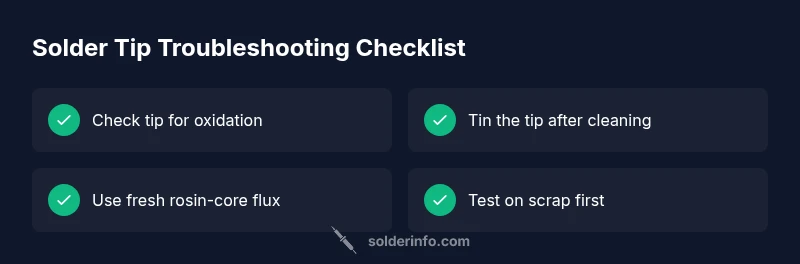
Before you apply more solder, run through a few quick checks. Inspect the tip for visible oxidation or buildup and wipe it clean with a dry lint-free cloth or brass tip cleaner. Ensure the tip is properly tinned with a light coat of solder. Use fresh flux and keep the work area dry; dampness or moisture in flux can create steam that disrupts the joint. Confirm you’re using appropriate solder for your project (leaded vs lead-free) and that your iron isn’t cooling too quickly when you touch the tip to the joint. Finally, practice on a scrap pad to verify wetting behavior before touching your real board or workpiece.
The Role of Heat and Wetting
Wetness is a balance between heat, flux chemistry, and metal cleanliness. If the iron isn’t hot enough, solder will bead and refuse to flow, leaving a cold joint. Conversely, overheating can burn flux, degrade the surface, or oxidize the tip more rapidly. The goal is a steady, clean wetting with minimal oxidation. Always allow the tip to reach its operating temperature, then touch the joint with solder at the point of contact, not the tip itself. This promotes capillary action and a better bond.
Cleaning and Tinning Your Tip
A clean, well-tinned tip is essential for reliable soldering. Start by unplugging the iron and letting it cool briefly if you’re handling it. Wipe or brush off residue, then briefly reheat and apply a small amount of fresh solder to re-tin. Wipe away excess flux, leaving a thin, even coat of solder on the tip. Regular maintenance should become part of your workflow: clean after each session, tin before storage, and avoid leaving the tip dry for long periods.
Flux and Solder Types: Choosing the Right Pair
Flux is the chemical that improves wetting. Rosin-core flux is standard for many electronics tasks, but avoid aggressive acid-based flux in electronics work. Leaded solder typically flows more readily than some lead-free varieties, but it must be used in approved contexts. Water-soluble flux is powerful but corrosive and can damage components if not cleaned properly. Check the flux’s compatibility with your solder alloy. Fresh, properly rated flux ensures the joint wets the metal smoothly and reduces oxidation during heating.
Technique: How to Apply Solder and Make a Joint
Begin with a clean, tinned tip and a well-fluxed joint. Bring the tip to the joint and let the heat transfer into the pad or component lead. Feed solder to the joint, not directly to the tip, allowing the molten solder to flow into the joint's fillet. Remove the solder first, then the heat, and allow the joint to cool undisturbed. A good joint should have a shiny, smooth fillet without gaps or pits. Practice on scrap boards to refine your technique.
Common Tool Failures: Dirty Iron, Contaminated Solder, and Bad Wipes
Soldering demands clean tools. Brass tip cleaners are preferred over wet sponges, which can accumulate abrasive grit and moisture. A dirty sponge or damp rag can cause steam and tip corrosion. If you notice spotting or heaviness on the tip, it’s time to clean and re-tin. Ensure your solder reel, flux jar, and wiping tools are clean and dry. Inconsistent results often trace back to contaminated or degraded tips and flux.
When to Replace the Tip or Iron
If the tip is heavily oxidized, pitted, or cannot be tinned despite cleaning, replacement is often necessary. A worn tip cannot accurately transfer heat or wet the joint, leading to poor adhesion. If the iron itself is aging or the heater element is inconsistent, consider upgrading to a reliable model. Regular calibration checks help you know when it’s time to replace components.
Safety and Maintenance: Prevention for Future Work
Always work in a well-ventilated area and use eye protection when soldering. Unplug and cool tools before changing tips or cleaning. Store tips dry and clean, and keep flux away from heat sources to prevent fumes. Routine maintenance—tip cleaning, tinning, and careful storage—greatly reduces future sticking issues and extends the life of your equipment.
Steps
Estimated time: 25-40 minutes
- 1
Inspect the tip for corrosion or oxidation
Power off the iron, unplug it, and visually inspect the tip for dark oxide or uneven plating. A dull or corroded tip means poor heat transfer and bad wetting.
Tip: Use a clean method to see the true condition of the tip. - 2
Clean the tip thoroughly
Wipe the tip on a dry, lint-free cloth or use a brass tip cleaner to remove oxidation. Avoid sanding or rough abrasives that can remove the protective plating.
Tip: Work quickly to minimize heat loss during cleaning. - 3
Re-tin the tip with fresh solder
Apply a small amount of solder to the tip and allow it to spread evenly, forming a thin, shiny layer. This new tin creates a conductive surface that improves wetting.
Tip: Keep flux off the tip until you’re ready to tin. - 4
Check flux and joint prep
Ensure the flux is appropriate for electronics and that the joint is clean and free of oxidation on the pad or lead. Flux helps the solder flow and protects against re-oxidation while heating.
Tip: Only a small amount of flux is needed; too much can cause solder to bead. - 5
Heat and apply solder correctly
Touch the joint with the hot tip and feed solder into the joint, not onto the tip. Stop feeding when the joint is adequately filled, then remove heat and let the joint solidify.
Tip: Maintain steady temperature and avoid excessive force. - 6
Test on scrap material
Practice on scrap copper or a scrap board to confirm wetting and flow before proceeding to actual work.
Tip: Use a clean bench to avoid cross-contamination. - 7
Evaluate the joint quality
A good joint should be glossy, smooth, and free of gaps. If hinge or dullness remains, rework the joint with fresh flux and solder.
Tip: If in doubt, rework rather than settling for a poor joint. - 8
Decide on tip replacement
If oxidation is deep or the tip cannot be tinned despite cleaning, replace the tip or consider upgrading the iron for better temperature stability.
Tip: Tip replacement is a normal maintenance step in electronics work.
Diagnosis: Solder won't stick to the iron
Possible Causes
- highDirty or oxidized tip
- highTip not properly tinned
- mediumFlux residue or wrong flux type
- highInsufficient heat or cooling tip
- mediumOld or contaminated solder
- lowMoisture in sponge/flux
Fixes
- easyClean the tip and re-tin with fresh solder
- easyEnsure flux is fresh and properly applied to the joint
- easyVerify the iron reaches and maintains operating temperature
- mediumReplace a heavily oxidized or pitted tip
- easyUse the correct flux type for electronics and clean up flux residue
- easyReplace solder if it’s old or degraded
Quick Answers
Why won't solder stick to my iron after cleaning?
If cleaning doesn’t help, oxidation or improper temperature is likely. Re-tin the tip, verify flux freshness, and test on scrap to confirm wetting before proceeding.
If cleaning isn’t helping, the issue is likely oxidation or temperature. Re-tin the tip and test on scrap to confirm wetting.
Should I re-tin my soldering iron tip?
Yes. Re-tinning restores a conductive surface that wets easily. Do this after cleaning or any time you notice dullness on the tip.
Yes. Re-tin after cleaning to restore wetting capability.
What flux type should I use for electronics?
Rosin-core flux is standard for electronics. Avoid aggressive water-soluble flux on sensitive boards unless you know you can fully clean it afterward.
For electronics, use rosin-core flux and avoid strong water-soluble flux unless you can clean it completely.
Can lead-free solder affect sticking?
Lead-free solder often requires careful temperature control and good flux. Ensure the tip is clean and hot enough to promote proper flow.
Lead-free solder may need more precise heat and clean tips for good flow.
When should I replace the tip?
Replace the tip if it’s heavily oxidized, pitted, or cannot be tinned despite cleaning. A poor tip sabotages wetting and joint quality.
Replace the tip if it’s badly oxidized or can’t be tinned.
Is a damp sponge safe for tip cleaning?
A damp sponge can cause steam and tip corrosion. Prefer a dry brass cleaner for routine maintenance.
No, avoid damp sponges; use a dry brass cleaner instead.
Watch Video
Top Takeaways
- Keep the tip clean and properly tinned at all times
- Use fresh, appropriate flux and solder for reliable wetting
- Maintain consistent heat and avoid damp tools
- Replace worn tips to restore performance