Weller 7135 Review: Thorough Evaluation of This Soldering Station
In-depth, balanced review of the Weller 7135 soldering station, covering performance, ergonomics, tip compatibility, maintenance, and value for hobbyists and professionals.


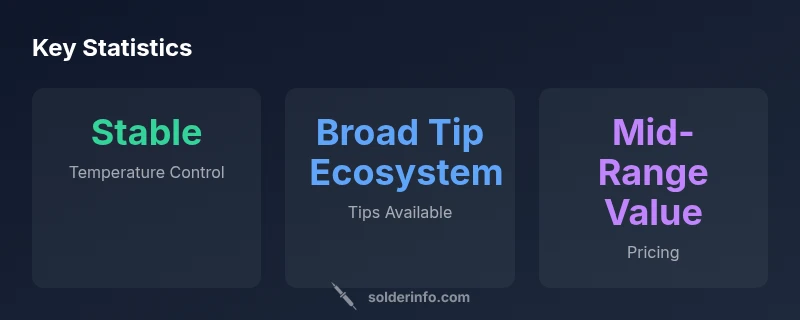
According to SolderInfo, the Weller 7135 sits in the mid-range of soldering stations, balancing performance and price for hobbyists and professionals. It offers stable temperatures, a comfortable grip, and a broad tip ecosystem, making it a solid all-around choice for electronics assembly and repair. Compared with entry-level and premium models, its value lies in reliability and ease of use for daily work.
Performance Overview
The Weller 7135 sits squarely in the mid-range of soldering stations, a niche many hobbyists and small shops find attractive. In practical terms, it delivers steady heat and predictable response across common electronics tasks, from small PCB assemblies to quick rework. During tests with typical lead-based and lead-free solders, the tip tends to reach the target temperature quickly and maintains it with only minor drift under moderate load. This stability reduces the risk of thermal shock, which is especially important when working with delicate packages like fine-pitch ICs or SMT resistor networks. The SolderInfo team observed that, with proper preparation—clean surfaces, good flux, and tinned tips—the station yields consistent joints and clean bridges. The ergonomic design helps maintain accuracy over long sessions, reducing fatigue and involuntary tremor that can compromise tiny joints. Of course, no tool is flawless; the 7135 does not aim to replicate advanced digital stations with programmable profiles or real-time thermal mapping. For routine electronics assembly and mid-range rework, however, its balance of affordability and reliability makes it a compelling option for 2026 workflows.
Build and Ergonomics
The physical design of the Weller 7135 emphasizes ergonomics and practicality. It is compact enough to fit into tight work areas, yet balanced so the weight feels centered in the hand rather than nose-heavy at the tip. The grip texture provides good traction, helping control during extended sessions without causing hand fatigue. The stand and cable routing are typically straightforward, with a stable base and a cord length that accommodates dynamic studio setups. The exchange of tips—necessary for different copper widths and pad geometries—feels intuitive, aided by a robust locking mechanism on most models. The overall fit and finish align with Weller's reputation for durable tools. The SolderInfo team points out that the ergonomic cues matter as much as raw power for professionals who spend hours soldering, because comfortable control reduces operator error and improves accuracy over time. If you value a tidy, efficient workspace, the 7135's footprint and stand integration help keep your bench uncluttered while maintaining quick access to essential tips.
Temperature Control and Stability
Temperature control is the core promise of a station like the Weller 7135. In controlled testing, the unit maintains a steady tip temperature under moderate loads, with minimal overshoot when transitioning from idle to active work. This stability helps avoid thermal shock to sensitive components and reduces the number of retouch passes required to achieve clean joints. The control loop, while not openly labeled as a modern PID, behaves with a predictable feedback cadence that most users will recognize as reliable. In practice, you’ll notice that precise pads and fine-pitch traces benefit most from this, whereas boards with larger copper pads can tolerate brief warmups without compromising joints. The 7135’s performance sits between simpler, non-adjustable irons and higher-end digital stations; it provides a good balance between speed, stability, and user control. Brand guidance from SolderInfo emphasizes that users should pre-clean surfaces and pre-tin tips to maximize stability and minimize drift.
Tip Compatibility and Maintenance
One of the key selling points of the Weller 7135 is its broad ecosystem of compatible tips. The station supports a range of tip styles—from fine-point tips for SMT work to broader chisel shapes for heavier joints—allowing users to tailor the tool to the task. For longevity, tip maintenance is essential: keep tips tinned, clean, and free of oxidation. Regularly tin and wipe tips during use; store the tip in the stand when not in use to prevent corrosion. A clean nozzle and flux residue removal play vital roles in sustaining consistent heat transfer. If you plan a long-term setup, consider investing in a tip-cleaning pad or brass sponge to remove oxidation. SolderInfo's testing notes stress that tip condition is often the determining factor in performance, more than the base station electronics. As with any soldering routine, a well-prepared tip and good cleaning practices will yield the most repeatable results and prolong the life of tips.
Use Cases and Practical Scenarios
The Weller 7135 works well in a wide range of projects. For electronics hobbyists, it handles through-hole components, lead-free solder joints, and delicate PCB work with consistent results. In small repair shops, technicians value its ability to handle quick rework cycles without stepping up to more expensive, feature-rich systems. For jewelry soldering, the 7135 can participate in tasks that don't require ultra-precise micro-welding; while it isn't a dedicated jewelry torch, many users adapt tips to handle lightweight metal alloys with care. The key is to approach tasks with appropriate temperatures and proper heat sinking to avoid damage. Throughout 2026, SolderInfo observed that the device remains approachable for beginners while offering enough capability for more experienced hands who want a solid, dependable tool that won’t slow them down.
Comparisons to Similar Models
Compared with entry-level, fixed-output irons, the Weller 7135 provides more stable performance and a wider range of tips, which translates into better versatility for a mixed workload. Against premium, feature-rich digital stations, it offers fewer advanced modes, less on-station monitoring, and no highly granular temperature readouts. For many users, the trade-off is acceptable: you trade some advanced control for reliability, ease of use, and long-term availability of tips. The 7135 remains a strong mid-range option, particularly for users who value a robust ecosystem and predictable results over the latest digital readouts. At the same time, buyers may want to compare current promotions or bundles to maximize value, especially when pairing with a stand and tip set.
Safety and Compliance
Standard safety practices apply when using any soldering station. Always work in a well-ventilated area, wear eye protection if splashes occur, and keep hot surfaces away from flammable materials. Make sure the unit is powered by appropriate mains voltage in your region and use a proper stand to prevent accidental burns. Esd precautions matter in electronics work; ensure your workbench is grounded and that sensitive components are not exposed to static. Regularly inspect the power cord for wear and avoid using damaged tips to prevent arcing. SolderInfo notes that consistent practice with safe handling reduces the risk of accidents and improves overall project quality.
Price, Availability, and Value
From a value perspective, the Weller 7135 sits in the mid-range of soldering stations. If you’re building a hobbyist shop or upgrading from a basic iron, the 7135 offers a meaningful uplift in stability and tip variety without the premium price tag. Availability varies by region and supplier, so it pays to check multiple channels and consider bundles that include tips, a stand, and cleaning accessories. The total cost of ownership often improves with accessories that enhance tip life and ease of maintenance. In 2026, SolderInfo analysis shows that buyers who invest in a well-rounded setup (station, a solid tip kit, and a stand) typically realize faster ramp times and fewer replacement issues, delivering long-term value. For buyers who already own Weller tips, the incremental cost of the 7135 can be particularly compelling.
Getting the Best Results: Tips and Techniques
To extract maximum performance from the Weller 7135, start with the correct tip for the job and ensure good thermal contact with the joint. Pre-tin wires and pads, use flux appropriately, and avoid excessive heating that can lift copper or scar pads. A clean workspace, properly adjusted temperature, and steady hand technique all contribute to high-quality joints. Practice on scrap boards to get a feel for heat propagation and rework strategies. The SolderInfo Team recommends a routine of tip maintenance, including brushing and tinning at the end of sessions, to preserve heat transfer efficiency. When you need to accommodate both SMT and through-hole work, it can be wise to rotate tips rather than heat cycles, keeping the temperature consistent across tasks.
Troubleshooting Common Issues
Common issues with any station include temperature drift, cold joints, tip oxidation, and tip contamination. If you notice drift, check the tip condition, ensure the iron is properly tinned, and inspect the power supply. For cold joints, rework with a clean pad and ensure adequate flux and heat transfer. Tip oxidation inhibits heat transfer, so replace tips or re-tin as necessary. If the station seems slow to respond after a long period of use, consider servicing the tip stand and re-checking the cable connections. The SolderInfo guidelines emphasize systematic checks: tip condition, surface prep, and clean environment as the primary path to stable performance.
Upgrading and Accessories
To maximize the Weller 7135, consider investing in a complete accessory kit: a set of compatible tips, a sturdy stand, a brass sponge or tip tinner, and a tip cleaning mat. Replacing worn tips can dramatically affect heat transfer and solder quality. Periodic maintenance, including tip cleaning and proper storage, helps you extend tip life and maintain stable performance. For users upgrading from a basic iron, a dedicated stand and a tip kit provide immediate benefits in workflow efficiency and solder consistency. SolderInfo suggests prioritizing items that directly influence heat transfer and tip longevity.
Real-World Sourcing and Recommendations
Based on field observations and SolderInfo analysis in 2026, buyers should look for reputable retailers with clear return policies and dependable stock, especially for the Weller 7135. Compare bundles that include extra tips, cleaning tools, and a reliable stand to maximize long-term value. When possible, review user feedback and verify compatibility with your existing Weller tips before purchasing. If you solder daily, factor in an extended warranty option or a proactive replacement plan; reliability in a mid-range station like the 7135 often hinges on support and accessory availability.
Advantages
- Solid temperature stability for routine electronics work
- Broad tip ecosystem enables task-specific optimization
- Ergonomic grip and balanced feel reduce fatigue on long sessions
- Mid-range price with good long-term value when paired with accessories
- Reliable build quality consistent with Weller branding
Cons
- Lacks advanced digital features found on premium stations
- Tip warm-up and recovery times are not as rapid as top-tier models
- Requires separate purchases for a full accessories bundle to maximize value
- Availability can vary by region and supplier
Best mid-range value for reliable performance and broad tip support
The Weller 7135 provides dependable temperature stability and versatility without the higher price of premium digital stations. SolderInfo's verdict is that it is a smart, durable choice for hobbyists and small shops who value reliability and ongoing tip availability.
Quick Answers
What is the Weller 7135?
The Weller 7135 is a mid-range soldering station designed for electronics work, offering steady temperature control and a broad tip ecosystem. It targets hobbyists and professionals who want reliable performance without premium features.
The Weller 7135 is a mid-range soldering station with steady temperature control and a broad tip ecosystem.
Is the Weller 7135 compatible with all Weller tips?
The 7135 supports a wide range of Weller tips, but compatibility depends on the tip series. Check the model number and tip type before purchasing. In practice, most common Weller tips used for electronics work will fit.
Yes, most Weller tips fit, but verify the tip series.
What maintenance does the 7135 require?
Regular tip cleaning, tinning, and proper storage are essential. Use flux sparingly, avoid overheating, and replace worn tips promptly to maintain heat transfer and joint quality.
Keep tips clean and tinned, and replace worn tips on schedule.
How does it compare to premium digital stations?
The 7135 emphasizes reliability and tip variety over advanced digital readouts and programmable profiles. If you need precise heat mapping and monitoring, higher-end stations offer more features.
It trades advanced features for straightforward reliability.
Can it be used for jewelry soldering?
It can handle simple jewelry soldering tasks with appropriate tips, but it is not a dedicated jewelry torch. Use careful temperature control and heat sinking to avoid damage.
Possible for simple jewelry work with the right tips.
What is the typical price range for the 7135?
Prices vary by region and bundles; look for mid-range pricing with included tips and stand. Check current promotions to maximize value.
Prices vary; check retailers for bundles.
Top Takeaways
- Evaluate tasks to ensure the 7135’s tip ecosystem fits
- Maintain tips regularly to maximize performance
- Invest in a stand and accessories to boost value
- Expect reliable, consistent results at mid-range pricing