Solder Connections: A Practical How-To Guide
A comprehensive, step-by-step guide to creating durable solder connections across electronics, plumbing, and jewelry. Learn prep, flux, heat control, joint inspection, troubleshooting, and safety practices to ensure reliable, high-quality solder joints.


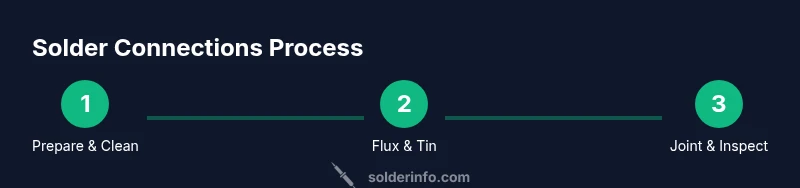
By following this guide, you will learn how to create durable solder connections across electronics, plumbing, and jewelry projects. According to SolderInfo, durability comes from clean prep, proper flux, and precise heat control. You’ll cover preparation, essential tools, best practices for clean joints, and safety steps to avoid cold joints or bridges.
Why Solder Connections Matter
Solder connections are the lifeblood of reliable electronics, plumbing, and jewelry work. A well-made joint ensures consistent electrical conductivity, strong mechanical bonding, and long-term durability. According to SolderInfo, durability comes from clean prep, proper flux, and precise heat control. Poor solder connections can lead to intermittent signals, corrosion, or mechanical failure, making early repairs more likely. This is why attention to joints matters across applications and materials, from tiny PCB pads to copper pipes and delicate jewelry clasps. When you invest effort in proper surfaces, correct flux, and controlled heating, you gain confidence in your builds and reduce troubleshooting later on.
Types of Joints and When to Use Them
Solder connections come in several common forms, each suited to different substrates and goals. Through-hole joints create robust mechanical bonds and are forgiving for beginners, while surface-mount joints save space and enable automation-compatible assemblies. For jewelry or delicate signals, fillets and small, well-wetted joints offer both strength and aesthetic appeal. Choosing the right joint type reduces rework and improves reliability in your project, whether you’re assembling a compact electronics board, repairing a water line, or crafting a wearable piece.
Materials: Flux, Solder Alloys, and Surfaces
Flux is essential for breaking oxide layers and promoting solder flow. Rosin-based flux is common for electronics, while water-soluble flux cleans easily after soldering. Lead-free solders are preferred for safety and environmental standards in many regions, with common tin-based alloys offering reliable performance for a wide range of tasks. The surface finish—copper pads, tinned leads, and clean copper wire—greatly affects wetting and joint quality. Selecting compatible flux, solder alloy, and surface finishes helps ensure a strong, clean solder connection that lasts.
Surface Preparation: Cleaning and Oxidation Control
Oxidation is the enemy of a good solder joint. Start by cleaning all surfaces with isopropyl alcohol and a lint-free wipe. Remove old flux residues and oxidation with a gentle brush or fiber-tip wipe, then inspect for remaining tarnish. Mild abrasion on heavily tarnished copper can improve wetting on challenging surfaces, but avoid aggressive scraping that could lift traces or expose fragile copper beneath. Prepared, clean surfaces set the stage for reliable solder connections.
Temperature and Heat Control: Iron Settings and Techniques
Temperature control is critical to prevent damage and ensure proper wetting. Use a properly sized iron tip and a steady, controlled approach to heat only the joint, not the entire component. Apply heat until the joint wets, then feed a small amount of solder to form a smooth fillet. Remove heat promptly to minimize heat soak in sensitive parts. Practicing with scrap pieces helps you tune the balance between sufficient heat and avoiding scorching, especially when working with delicate electronics or plated surfaces.
Making Strong Joints: Through-Hole vs Surface Mount
Through-hole joints rely on longer leads that help anchor parts mechanically, providing forgiving joints for hobby projects. Surface-mount joints require precise placement and careful solder fillets, enabling compact, high-density assemblies but demanding steadier hands and better equipment. In both cases, ensure clean pads, proper flux, and controlled heat. Mastering these techniques yields solder connections that are durable under vibration and temperature fluctuations, whether you’re wiring a rugged device or tightening a jewelry setting.
Common Problems and How to Fix Them
Cold joints feel dull or brittle and may fail under stress. Bridges occur when solder connects two pads unintentionally, risking short circuits. Insufficient wetting leaves gaps between metal and solder; reflow with fresh flux and more deliberate heat while watching for a shiny finish. Overheating can burn flux and desolder delicate components, so maintain steady technique and use heat sinks for sensitive parts. Regular inspection with a loupe helps you catch problems early.
Maintenance and Safety: PPE and Ventilation
Wear safety glasses and work with adequate ventilation or a proper fume extractor. Keep your work area tidy and store solder and flux away from heat sources. Regularly clean the iron tip and replace worn tools to maintain consistent heat transfer. Practice safe handling of hot components to prevent burns, and dispose of flux residues and spent materials according to local regulations. Safe habits protect you and extend the life of your tools.
Tools & Materials
- Soldering iron (adjustable 25-60 W)(Use a temperature-controlled station; keep tip clean.)
- Lead-free solder (Sn-Ag-Cu or Sn-Cu)(Prefer lead-free alloys for safety and compliance.)
- Flux (rosin-based or water-soluble)(Flux improves wetting and oxide removal.)
- Desoldering braid or pump(For corrections; have on hand.)
- Solder wick(For cleanup of bridges.)
- Soldering helping hands or third-hand tool(Stabilizes parts during soldering.)
- Isopropyl alcohol (70%+)(Used for cleaning and flux removal.)
- Safety glasses(Protect eyes from splashes.)
- Ventilation or fume extractor(Mandatory to remove fumes.)
- Wire cutters/strippers(Prepare leads and components.)
- Magnifying glass or loupe(Helpful for inspection.)
Steps
Estimated time: 40-60 minutes
- 1
Gather tools and materials
Collect all required tools and materials from your list and arrange them in order of use. Prepare a clean, well-lit workspace and test your iron by touching a scrap pad.
Tip: Lay out items in the order they will be used to minimize delays and keep heat under control. - 2
Prepare workspace and components
Clear the board, clamp the PCB, and arrange components with minimal movement. Ensure components are dry and free of moisture.
Tip: Secure components to prevent shifting while heating. - 3
Clean surfaces to remove oxides
Wipe surfaces with isopropyl alcohol; use a small brush if needed. Remove old flux residues and oxidation with a gentle wipe, then inspect for remaining tarnish.
Tip: Avoid abrasive pads on delicate components to prevent damage. - 4
Flux the joints
Apply flux to pads and leads to improve solder flow and wetting. Use just enough to cover the joint without pooling.
Tip: Too much flux can hinder inspection and leave residues after cleaning. - 5
Tin the wires and pads lightly
Touch the iron to the pad and wire briefly, allowing a thin, even layer of solder to form a coating. This helps promote consistent wetting when the final joint is formed.
Tip: Tinning reduces heat required for the final joint. - 6
Position components and heat the joint
Place components and hold in position; touch the joint with the iron and heat until it wets evenly. Rotate tooling slightly if needed to promote even heat transfer.
Tip: Heat the joint, not the component leads; avoid prolonged contact. - 7
Apply solder and inspect
Feed solder steadily until a shiny fillet forms. Remove heat promptly and inspect the joint for a smooth, convex shape with good wetting.
Tip: If dull or cracked, reflow with more flux and a clean surface. - 8
Clean up and test
Wipe away flux residue with IPA; test continuity and mechanical strength, and inspect for bridges or cold joints.
Tip: Document any fixes for future reference.
Quick Answers
What indicates a good solder connection?
A good solder joint is shiny, smooth, and forms a proper fillet that bonds the parts securely. It should pass a basic continuity test and withstand a light mechanical probe. If it looks dull, brittle, or shows gaps, rework the joint with fresh flux and heat.
A good solder joint is shiny and smooth with a proper fillet and will pass a basic continuity check.
Should I tin wires before soldering?
Yes, lightly tin wires or pads to improve wetting and reduce the heat needed to form the joint. Tinning helps ensure a reliable fillet and prevents cold joints when you apply heat.
Yes, lightly tin the wires or pads to improve wetting and reliability.
Can I reuse flux?
Flux should be fresh and uncontaminated for best results. Reusing flux can introduce contaminants that hinder wetting and promote corrosion over time.
Flux should be fresh and uncontaminated for best results.
What causes cold joints and how can I fix them?
Cold joints occur when heat is insufficient or surfaces are dirty, resulting in a dull appearance and poor electrical contact. Reflow the joint with proper flux and heat, then recheck the wetting and shine of the fillet.
Cold joints happen when there isn't enough heat or the surface is dirty. Reflow with flux and proper heat.
Is lead-free solder safe for electronics?
Lead-free solder is generally safer and more compliant for many projects. Use appropriate flux and ventilation, and follow local safety guidelines for disposal and handling.
Lead-free solder is safer and often required; use proper flux and ventilation.
How can I fix a solder bridge?
If you see a bridge between pads, use desoldering braid to wick away the excess solder, then reflow with targeted heat. Ensure flux is applied and wipe away any residue to prevent a repeat bridge.
Wipe away the bridge with desoldering braid and reflow carefully.
Watch Video
Top Takeaways
- Prepare thoroughly before soldering.
- Control heat to prevent damage and ensure wetting.
- Ensure joints are clean and properly wetted.
- Inspect with magnification and test conductivity.
- Follow safety practices for a reliable result.