DIY USB Soldering Iron: A Complete How-To for 2026
Learn how to build and use a DIY USB soldering iron with safe power regulation, temperature control, and practical tips for electronics, jewelry, and hobby projects in 2026.


In this guide you’ll learn to assemble and use a DIY USB soldering iron, including core design concepts, components, safety practices, and a practical build approach. By the end you’ll understand how to achieve reliable heat control from a USB power source and how to test and calibrate for electronics, jewelry, and hobby projects.
Why a DIY USB Soldering Iron matters
With the surge in portable electronics and on-the-go repairs, a diy usb soldering iron offers a compact, affordable tool that handles most hobby tasks without the bulk of a bench iron. According to SolderInfo, DIY USB irons empower hobbyists to repair broken boards and prototype quick builds in compact spaces. The SolderInfo team found that well-designed USB irons can reach precise temperatures with PWM control and stay cooler during extended use, making them safer and more portable than traditional mains-powered irons. In this section, you’ll learn why a USB-powered approach makes sense for electronics, jewelry, and light plumbing projects, and how to balance portability with heat stability. We’ll cover what USB irons can and cannot do, common myths, and how to size expectations for performance, safety, and power constraints. By the end, you’ll know whether building or buying a diy usb soldering iron matches your project and budget.
Core design concepts for a USB-powered soldering iron
A successful USB soldering iron relies on three core concepts: controlled heating, reliable temperature sensing, and safe power delivery. First, heating must be fast enough to melt solder but not so aggressive that it damages components. PWM (pulse-width modulation) lets you modulate the heating element, which improves stability and extends tip life. Second, temperature sensing—typically a thermistor or RTD—gives feedback to keep the tip at a target range. Third, power delivery from USB requires careful regulation: most USB sources deliver 5V, so designers use a driver circuit (often a MOSFET or dedicated PWM controller) to translate voltage into a controllable heating pulse. Trade-offs exist: cartridge heaters respond quickly but consume more current; nichrome wire is simple but harder to regulate precisely. The result is a compact, battery-friendly tool that can perform electronics work, jewelry work, and light plumbing soldering if tuned correctly. This section lays the groundwork for choosing the right components, balancing heat, and avoiding overheating sensitive parts.
Selecting components and safety considerations
Choosing components for a diy usb soldering iron means aligning electrical compatibility, heat capacity, and safety features. Start with a 5V USB power source capable of delivering sufficient current for your heater, a temperature sensor to feed back data, and a heating element that matches your thermal needs. Add a PWM controller or microcontroller capable of stable duty cycling, a logic-level MOSFET to drive the heater, and a robust enclosure to prevent accidental contact with live circuitry. Important safety features include overcurrent protection, thermal cutoffs, proper insulation, and a grounded metal shield or non-conductive exterior. Safety cannot be an afterthought: verify insulation, keep connectors dry, and use a hot-glove or stand to avoid burns. In this section we discuss typical component roles, how to verify part compatibility, and practical strategies to minimize risk while maximizing performance. The key is to start with a test bench that isolates the heating element from sensitive electronics and to ensure you can monitor temperature without guessing.
Power regulation and heating element options
Power regulation is the heart of a diy usb soldering iron. The heating element choice determines how quickly you reach temperature and how stable you’ll be at a given duty cycle. Cartridge heaters provide strong, rapid heating suitable for fast prototyping, while a carefully wound nichrome wire offers a simpler, lower-cost path with decent control. The control circuit typically uses a PWM-capable microcontroller or dedicated driver, a MOSFET to switch current, and a temperature sensor for feedback. You’ll also want protection features like a fuse or polyfuse, a thermal cutoff, and proper voltage regulation to guard against USB excursions or power bank fluctuations. In this section we compare heating options, outline circuit topologies, and provide practical guidance to choose a setup that balances heat, efficiency, and safety for electronics, jewelry, and light plumbing tasks.
Build option: soldering iron tip types and tips compatibility
Tip compatibility is crucial for achieving clean, precise joints with a diy usb soldering iron. Standard conical or chisel tips work well for electronics, while fine-point or bevel tips excel for delicate jewelry or micro-soldering. Compatibility hinges on the heater’s surface temperature, actuation method, and the connector style used to attach tips. Consider heat transfer efficiency: larger tips dissipate more heat and require stronger regulation, while smaller tips heat up quickly but can overheat tiny pads. You should also factor tip life, cleaning frequency, and whether your design accommodates replaceable tips. In this section, we discuss common tip geometries, materials, and how to safely exchange tips without damaging the heating element or sensor.
Testing and calibration methods
Testing and calibration are essential to ensure your diy usb soldering iron performs consistently across projects. Start by verifying power delivery with a multimeter under load, then map temperature readings from the sensor to the actual tip temperature. Create a simple calibration curve by comparing the sensor output at known temperatures and adjusting the control loop accordingly. Calibrate for common tasks—fine electronics joints, lead-free solder, and jewelry work—so you have predictable performance. Safety checks are part of testing: confirm no shorts, verify insulation, and ensure the unit cools safely between uses. In this section we provide a practical testing checklist and step-by-step calibration approach you can replicate at home.
Common failure modes and troubleshooting
DIY USB irons can fail for simple reasons: overheating due to insufficient heat sinking, sensor drift, or MOSFET failure. Power supply instability, USB voltage fluctuations, and poor connector contacts can cause intermittent heating or erratic control. Troubleshooting begins with a visual inspection, then checking for loose wires, damaged insulation, and cold solder joints on the heater path. If the temperature reading is inconsistent, recalibrate the sensor or verify the feedback loop. This section highlights common culprits, quick diagnostic steps, and remedies to keep your tool reliable across sessions.
Maintenance, safety, and long-term care
A durable diy usb soldering iron requires thoughtful maintenance and safe handling. Regularly inspect insulation and connectors for wear, clean tips with suitable cleaners (avoiding harsh abrasives that damage plating), and replace tips that show pitting or loss of geometry. Store the iron in a dry, ventilated area and use a proper stand to prevent accidental contact. Periodically verify the USB power source compliance and inspect any solder wicks or flux residues that could cause shorts. The goal is to extend tip life, preserve safe operation, and maintain consistency across projects through routine upkeep.
Tools & Materials
- 5V USB power supply (2A+)(Prefer a Type-C PD or high-quality 5V supply with stable current)
- Heating element (cartridge heater or nichrome wire)(Choose based on desired heat response and footprint)
- Temperature sensor (thermistor or RTD)(Placed near the tip for accurate feedback)
- PWM controller or microcontroller(Arduino/ESP32 or dedicated driver module)
- Logic-level MOSFET(To switch heater current safely)
- Protection components (fuse, polyfuse)(Protects against overcurrent)
- Enclosure or handle housing(Non-conductive body preferred for safety)
- Heat-shrink tubing and insulation(For wiring safety and strain relief)
- USB-C or USB-A cable with connector(Low-profile connector to the heater assembly)
- Soldering tips (assorted)(Include conical and chisel varieties)
- Flux and lead-free solder(Appropriate for electronics work)
- Multimeter or temperature probe(For testing and calibration)
- Heat-resistant gloves(For extra protection during assembly)
- Silicone stand or insulating mat(Safe resting place during operation)
- Thermal paste or gap filler(For improving heat transfer if needed)
Steps
Estimated time: 1-2 hours
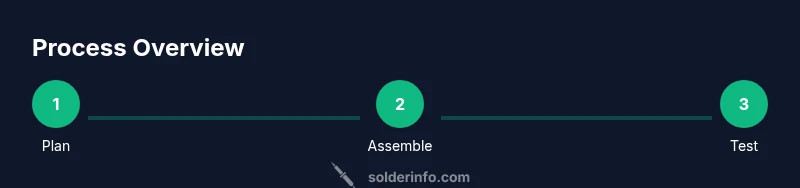
- 1
Plan and safety check
Define your target use, choose heating element and sensor type, and verify power margins. Review safety protocols, ensure a clean workspace, and set up a stand. This planning reduces rework and risks.
Tip: Document the power budget and heat path early to avoid incompatibilities later. - 2
Gather components
Collect the heater, sensor, PWM controller, MOSFET, and a suitable USB power source. Inspect parts for damage and confirm connector compatibility before assembly.
Tip: Lay out parts on a non-conductive mat to prevent accidental shorts. - 3
Assemble heating element with sensor
Mount the heater and place the temperature sensor near the tip. Route wires through heat-resistant channels to avoid snagging or heat contact.
Tip: Keep sensor wire short and avoid tight bends to prevent signal noise. - 4
Wire control electronics
Connect the PWM controller to the microcontroller, link the MOSFET gate to the PWM output, and wire the heater through the MOSFET. Include protection components in the path.
Tip: Double-check polarity and ground references before powering. - 5
Enclose and insulate
Place all components inside a non-conductive housing. Ensure vents or intakes are positioned to avoid heat buildup near sensitive parts.
Tip: Use heat-shrink plus fiber tape where appropriate for strain relief. - 6
Test and calibrate
Power the device on a test bench, measure tip temperature with a probe, and tune the control loop to stable operation. Validate safety features and temperature response.
Tip: Document calibration results and store the profile for future projects.
Quick Answers
Can I power a soldering iron directly from a USB port?
Directly powering a soldering iron from a basic USB port is not reliable for consistent heating. You typically need a capable USB source or power bank that can deliver sufficient current, plus a regulator and feedback loop to maintain temperature.
You generally need a USB power source with enough current and a regulator to keep the temperature stable.
What temperature range should I target for electronics work?
For electronics, you aim for a balance between heat and precision that avoids scorching pads or damage. Use a controllable setup rather than a fixed high heat, and rely on feedback from a sensor for stable results.
Aim for a balanced heat with feedback control to avoid damaging components.
Are cartridge heaters better than nichrome wire for USB irons?
Cartridge heaters heat quickly and are easy to control, but they require more power management. Nichrome wire is simpler and cheaper but may need more careful regulation to prevent overshoot.
Cartridge heaters heat fast and are easy to control, while nichrome is cheaper but needs tighter control.
Do I need a dedicated temperature sensor?
A temperature sensor is essential for stable performance. It provides feedback to the PWM controller so you can maintain consistent tip temperature during joints.
Yes, a sensor is essential for stable temperature control.
What safety features should I include?
Include overcurrent protection, thermal cutoff, proper insulation, and a non-conductive housing. Always test for shorts and keep the workspace dry.
Add fuses, insulation, and a safe housing to prevent accidents.
Can I retrofit an existing soldering iron to USB power?
Retrofits are possible but complex; they require rebuilding the heating element drive and sensor feedback. A purpose-built USB iron often yields better results with less risk.
It's possible, but usually better to build a dedicated USB iron from scratch.
Watch Video
Top Takeaways
- Plan safety and power requirements before building.
- Choose a heating element and sensor that match your target tasks.
- Use PWM for controlled, repeatable heat and longer tip life.
- Calibrate temperature feedback to ensure reliable joints.
- Prioritize safety with insulation, fusing, and proper enclosure.