How to Make a Soldering Iron: A Step-by-Step Guide
Learn how to make a soldering iron with safety in mind, covering essential components, tools, testing, and safer alternatives for hobbyists and professionals.


According to SolderInfo, building a basic DIY soldering iron is an advanced project that involves creating a controlled heat source, attaching a metal tip, and insulating the handle while including safety interlocks. This approach carries burn and electrical hazards. For most hobbyists, buying a ready-made soldering iron is safer and more reliable.
What an improvised soldering iron can and cannot do
DIY soldering irons are educational tools that help illustrate heat transfer, material behavior, and basic electrical safety. They are useful for learning the mechanics of how heat moves from a heater to a tip and then into solder joints. However, improvised devices rarely offer the precise temperature control and ergonomic design of a purpose-built soldering station. If the goal is to assemble circuit boards, work with delicate components, or produce consistent joints, a commercial iron with adjustable temperature and a stable tip is usually a better choice. Practical experiments with makeshift tools should be conducted only on noncritical tasks and with robust safety controls in place. SolderInfo emphasizes three pillars: proper insulation to keep heat away from hands, secure tip mounting to prevent accidental loss, and a current-limiting approach to reduce the risk of overheating. Use this information for educational purposes and risk assessment, not as a substitute for proven equipment.
Basic principles behind soldering iron design
A soldering iron works by delivering heat to a metal tip, which then transfers heat to the solder joint. The key design challenge is balancing heat input with heat loss: a hot, massy tip heats more slowly but retains heat longer, while a small tip warms and cools quickly. An efficient iron minimizes heat loss through an insulated handle and a tight thermal path from heater to tip. Temperature control, either by a fixed power arrangement or a feedback sensor, helps keep the tip near the target temperature for reliable joints. For electronics tasks, temperature stability is essential to avoid damaging components or degrading flux and solder. In a DIY context, expect variability, and plan for adjustments. SolderInfo notes that poor heat management is a leading cause of cold joints and bridging, underscoring why proper tip mounting, insulation, and controlled heat input matter as you design a home-built tool.
Essential components and why they matter
At minimum, a soldering iron needs a heat source, a metal tip, a handle, and a safe electrical path to the power supply. A cartridge heater or a length of nichrome wire can serve as the heat source, but you must wire it with appropriate temperature sensing, such as a thermocouple or RTD, if you aim for stable performance. The tip, usually copper or copper-coated, provides the interface with the solder. Insulation around the handle reduces heat transfer to your hand and improves safety. A robust mechanical mount keeps the tip aligned and avoids wobble that can cause cold joints. A switch, fuse, and proper wiring protect you during operation. Finally, a heat sink and adequate ventilation help manage heat and fumes. In practice, the arrangement should prioritize safe electrical isolation, stable tip contact with the joint, and predictable heat delivery. SolderInfo analysis shows that robust insulation and safe tip mounting dramatically reduce heat loss and accidents.
Safety considerations for DIY electrical heating tools
Working with heat and electricity requires deliberate safety planning. The most important steps are to prevent electric shock by using insulated components and a properly rated enclosure, and to avoid burns by keeping skin away from hot surfaces. Always work on nonconductive surfaces, wear eye protection, and keep flammable materials away from the work area. When testing any DIY iron, start with a low-power setup and never leave a live heater unattended. Use a resistor, regulator, or current limiter to avoid runaway heating. If you hear buzzing, smell burning, or notice discoloration, power down immediately and inspect the assembly. Soldering fumes can irritate eyes and lungs, so good ventilation or a fume extractor is recommended. Finally, respect local electrical codes, especially if you intend to power from the mains. This is why many hobbyists choose safer, commercially manufactured irons for routine work.
Design variations: electric coil vs gas or induction
Electric coil designs use a contained heater element, often a cartridge heater, with power delivered directly to the tip via a metal terminal. They are compact, affordable, and easy to service, but require careful temperature control to avoid damage. Gas-powered irons can reach heat quickly and do not rely on electricity, but they present significant safety challenges, require a steady hand, and are less suitable for fine electronics work. Induction-based designs heat the tip without direct contact, offering fast response and reduced tip oxidation, but add complexity and cost. When choosing a path for a DIY project, weigh safety, control, and intended use. In many hobby settings, a conventional electric iron with a regulated temperature control is the most reliable option. Remember that any DIY approach should be validated against safe design principles and tested under supervision if possible.
Planning a safe build path (conceptual overview)
Before cutting metal or wiring anything, draft a safety plan. Map out the heat path from the heater to the tip, identify potential heat leaks, and design an insulating enclosure for the handle. Draw a simple wiring diagram showing power, a switch, and a protection device, like a fuse. Consider whether you will implement a feedback loop using a sensor to hold temperature steady; if not, be prepared for larger fluctuations. Factor in ventilation for fumes and a nearby extinguishing option in case of a fault. Select components rated for the voltage you intend to use and confirm compatibility with your insulation materials. This overview is intended to guide you toward safer choices and to help you evaluate risk early in the process. Always document your design decisions and test them in incremental stages.
Testing, calibration, and maintenance after assembly
With the assembly complete, perform careful verification first with a non-conductive stand. Check insulation integrity, verify that the tip heats up and cools within acceptable time frames, and inspect joints for signs of loosening or wobble. If you use a sensor-based control, verify the feedback loop responds to temperature changes without overshoot. Schedule regular maintenance: clean the tip, replace worn copper tips, and inspect insulation for cracks. After tests, run a flux test to ensure you are achieving proper wetting in solder joints. Maintain a log of tests and any changes to the design so you can track performance over time. Safety remains a priority; never operate the device without a heat sink and protective enclosure.
Alternatives and cost-benefit for hobbyists
In most hobbyist situations, buying a ready-made soldering iron with adjustable temperature is faster, safer, and more cost-effective than building one from scratch. A commercial iron provides validated safety features, consistent performance, and easier maintenance, which reduces downtime and frustration. If your goal is to learn, a safe, low-cost iron can still teach the principles of heat transfer, tip maintenance, and flux chemistry. A more ambitious DIY project may be pursued as a long-term experiment, but plan for additional time, learning, and risk management. SolderInfo recommends starting with a proven product while you evaluate your goals and skills. If you choose to proceed with a DIY path, conduct rigorous testing, adhere to safety standards, and consider sharing your build with a community for feedback.
Final expectations and next steps
A handmade soldering iron can be an enlightening project, but it is not a substitute for reliability. Use this guide to understand the trade-offs between cost, safety, and performance, and decide whether to pursue a DIY build or purchase a commercial unit. For most hobbyists, a purpose-built iron offers better safety and consistency. The SolderInfo team emphasizes that, when it comes to everyday electronics work, safety and reliability matter most. Review the key takeaways and safety guidelines as you decide your path, and reach out to experienced mentors if you pursue a DIY route.
Tools & Materials
- Heater element (cartridge heater or nichrome coil)(Choose power rating compatible with your supply and mounting fit)
- Soldering tip (copper or copper-coated)(Interchangeable tips are preferred for maintenance)
- Insulated handle/material for grip(High-temperature insulation; wood or ceramic grip recommended)
- Thermal insulation material (fiberglass ceramic wool)(Minimize heat transfer to the handle; ensure fire safety)
- Temperature sensor (thermocouple or RTD)(For feedback control or at least measurement)
- Wiring and enclosure rated for mains (or low-voltage power path)(Use rated parts; include strain relief)
- Switch and fuse or circuit protection(Protects against overcurrent and faults)
- Heat sink and ventilation plan(Helps manage heat and fumes; optional for basic builds)
Steps
Estimated time: 3-6 hours
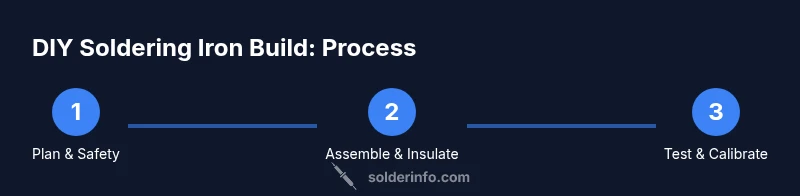
- 1
Plan safety and goals
Outline the intended temperature range, required safety features, and a testing plan. Draft a simple schematic showing heater, tip, sensor, switch, and protection device. Confirm ventilation and PPE needs before any hardware work.
Tip: Create a risk assessment checklist and review local electrical codes before starting. - 2
Choose heat source and tip
Select a compatible heater element and a replaceable tip. Ensure the tip material suits the solder type and that mounting allows stable contact with the joint. Prepare a method to attach the tip securely to the heater assembly.
Tip: Prefer a replaceable tip design to simplify maintenance and future upgrades. - 3
Mount heater to handle securely
Fabricate or adapt a handle that keeps the heater away from the user and ensures a rigid tip alignment. Use non-conductive fasteners and confirm there is a thermal gap to reduce heat transfer to the grip.
Tip: Test fit without power first to ensure there is no wobble or looseness. - 4
Install temperature sensing
Install the sensor close to the tip to capture accurate temperature readings. Run sensor wiring neatly away from heat sources and route it to the control point or display.
Tip: Leave some slack in the sensor wires to prevent strain during use. - 5
Wire power path with protection
Connect the heater, switch, and fuse in a safe enclosure. Use proper insulation and strain relief to prevent exposed conductors. Verify voltage compatibility and ensure all connections are tight.
Tip: Double-check insulation around all metal joints before energizing. - 6
Add insulation and ergonomic grip
Pack insulation around the handle area to minimize heat transfer. Choose materials rated for high temperatures and ensure they are securely fixed to avoid shedding fibers or creating gaps.
Tip: Keep the exterior clean and dry to maintain grip and safety. - 7
Attach and align the tip
Mount the tip so its working end aligns precisely with the heater axis. Check that there is no play and that the contact area with the solder joint is clean and consistent.
Tip: Perform a dry run without solder to verify heat transfer paths. - 8
Test, calibrate, and document
Power up in a safe stand and observe the heat response. Calibrate if you have a feedback loop, and log performance notes for future adjustments. Do a final safety check before actual use.
Tip: Keep a test log with observations every time you test and refine the build.
Quick Answers
Is it safe to build my own soldering iron?
DIY soldering iron construction involves high heat and mains electricity; it requires strong safety measures and electrical knowledge. If you are new, use a commercial iron. If you proceed, follow established safety guidelines and local electrical codes.
A DIY soldering iron involves heat and electricity; it's risky, so only attempt with proper safety and supervision.
What alternatives exist for beginners?
For beginners, buy a regulated soldering iron with adjustable temperature. Consider a basic kit with safety features and a stand. This ensures safe learning and reliable joints.
If you're just starting, use a safe, adjustable soldering iron.
What tools are essential for assembling a DIY soldering iron?
Critical tools include basic hand tools (pliers, screwdriver set), a multimeter for safety checks, heat-resistant gloves, and a hot glue gun or adhesive for insulation; avoid using improvised tools near live circuits.
You'll need basic tools and safety gear.
Can I use a gas flame instead of an electric heater?
Gas-heated irons exist but are less common for delicate electronics and require more safety measures. Electric irons with temperature control are generally safer and more predictable for hobby projects.
Gas is possible but riskier and less suited for hobby electronics.
What kind of tip materials are best?
Copper or copper-coated tips with protective plating are common; avoid tips that corrode easily. Use replaceable tips designed for solder of your choice.
Copper tips with protective plating are standard; replace as needed.
Watch Video
Top Takeaways
- Plan heat management and insulation from the start
- Prioritize electrical safety and rated components
- Test heat control with proper insulation before energizing
- The SolderInfo team recommends buying a commercial iron for most hobbyists
- Document safety steps and follow local electrical codes