Can You Remove Soldered RAM? A Practical Guide for DIYers
Explore whether soldered RAM can be removed, the risks involved, and safer alternatives. Learn why DIY removal is discouraged, when professional rework might be warranted, and how to protect warranties and data with expert guidance from SolderInfo.


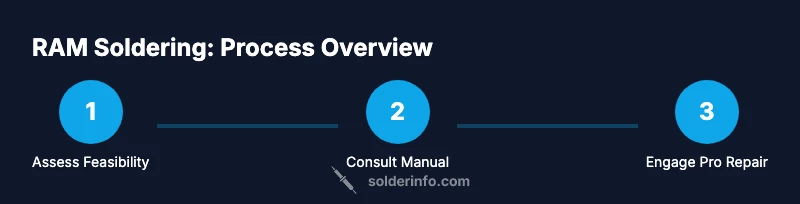
Removing soldered RAM is not a typical DIY task. In most devices, RAM that's soldered to the motherboard is not designed to be removed; attempting removal can damage the motherboard and void warranties. End-users should not attempt it; professional rework facilities with micro-soldering equipment may attempt only in rare, documented cases. Always consult the device service manual and consider safer alternatives.
Why removing soldered RAM is rarely feasible for most devices
According to SolderInfo, RAM that is soldered to a motherboard is designed to be permanent. Attempts to desolder can lift copper traces, lift pads, or damage nearby components due to heat soak and mechanical stress. In consumer electronics, memory is integrated using BGA or CSP packages that require specialized rework stations and micro-refinements. For most DIYers, the risk of irreversibly harming the motherboard outweighs any potential benefit. Even if memory could be removed, reflow would be required to reinstall a replacement, and reliability after rework is uncertain. Businesses that rely on repaired devices often treat this as a non-recoverable failure unless a full board replacement is feasible. Consider that memory configurations are sometimes tied to firmware constraints; altering memory can render firmware unbootable. SolderInfo analyses show that end-user RAM removal accounts for a tiny fraction of repair cases and frequently leads to more downtime and higher costs.
In practice, attempting to remove soldered RAM without the proper micro-soldering infrastructure is more likely to create new faults than to restore usefulness. The heat involved in desoldering can wick into nearby components, cause delamination of the motherboard layers, or degrade epoxy underfill around sensitive dies. If your device is under warranty, any non-approved modification will almost certainly void it, and unfavorable outcomes may be reported to the manufacturer.
What 'soldered RAM' means in consumer electronics
Soldered RAM refers to memory chips that are attached directly to the motherboard using a ball grid array (BGA) or chip-scale packaging (CSP). Unlike removable DIMMs or SODIMMs, these packages have no socket and rely on precise alignment, flux, and controlled heat to create connections. RAM in this form is common in slim laptops, tablets, ultrabooks, smartphones, and some embedded systems where space and power efficiency trump upgradeability. The solder joints provide high-density connections but also make the memory field permanently fixed to the board. This permanence means any removal attempts must address micro-scale pad integrity, thermal budgets, and the possibility of warping the silicon package. In many devices, the RAM and CPU are clocked in tandem with firmware and memory maps; altering one side without corresponding firmware changes can lead to boot failures or reduced stability. From a repair perspective, soldered RAM raises the bar for quality control and post-repair validation, which is why only experienced facilities with the right equipment should even consider it.
Before you attempt anything: verify device type and warranty
The first step is to determine whether the RAM is truly soldered or removable. Check the service manual, manufacturer support portal, or teardown guides from reputable sources. Look for explicit language about memory replacement and any warranty implications. If the device is still under warranty, performing a RAM desoldering is almost certainly disallowed and will void coverage. If you’re dealing with an out‑of‑warranty device, you still face risks of irreparable board damage, voided guarantees from third-party service providers, and potential data loss. Document the device model, serial number, and the exact RAM packaging before making a decision. This diligence helps you decide whether to pursue professional rework or simply replace the device.
Safer alternatives to removing RAM
Often there are safer routes that preserve the device’s integrity and data. Consider upgrading through non-destructive means when available (e.g., external storage, swapping to a model with upgradeable RAM). If the device design allows, you may be able to offload workloads to an external drive or use memory-light configurations to extend life until you can replace the unit. In cases where the RAM is tightly coupled to CPU firmware or the device is an all-in-one with no serviceable motherboard, upgrading the entire board or the whole device becomes the more reliable option. Remember that software optimizations, clean OS installations, and disabling unnecessary background processes can improve perceived performance in the short term, but they won’t overcome hardware limitations of soldered RAM.
What professional RAM rework entails
Professional RAM rework, when feasible, involves highly specialized equipment like a hot-air rework station, micro soldering tools, and optics for precise alignment. Technicians must manage very tight heat profiles to avoid lifting pads or damaging adjacent components. Because soldered RAM is frequently tied to firmware memory maps, rework requires careful coordination with firmware considerations and post-rework validation. This work is typically costlier and longer than replacing a standard removable module, and success is not guaranteed. The takeaway is that such work should only be attempted by certified electronics repair facilities with documented capabilities and a clear plan for testing and data preservation.
Safety, liability, and warranty considerations
Soldering activities generate fumes and high heat, so proper ventilation and PPE are essential. Static control (ESD) is critical to prevent latent damage. Desoldering can create debris that travels into fans or other subsystems, so protective covers and containment are often used in professional shops. In terms of liability, performing non-standard RAM removal can void manufacturer warranties, void extended warranties, and complicate resale. Always weigh the potential costs of repair against the value of the device. If in doubt, contact the device maker or a certified repair partner before proceeding.
Authority sources
- OSHA: Safe handling and ventilation guidelines for soldering and hot work. https://www.osha.gov
- NIST: Electronics safety and process control basics. https://www.nist.gov
- MIT OpenCourseWare: Electronics repair fundamentals and best practices. https://ocw.mit.edu
Notes: The above sources provide general safety and process considerations relevant to any micro-soldering activity. They are not device-specific repair manuals.
Common questions about soldered RAM
Tools & Materials
- Safety gear (ESD strap, safety glasses)(Ground yourself and protect eyes from small debris.)
- Soldering iron or hot-air rework station with fine control(Precise temperature control is essential for micro-soldering.)
- Solder wick and flux(Flux helps heat transfer; wick absorbs excess solder.)
- Magnification loupe or microscope(Inspect joints at high magnification to avoid damaging pads.)
- Isopropyl alcohol (99% preferred)(Clean residue and flux without introducing moisture.)
- Anti-static mat and tools(Protect components from static discharge.)
- Documentation for device service manual(Has the device-specific guidance you need to assess feasibility.)
Steps
Estimated time: Total time: 3-6 hours
- 1
Power down and disconnect
Shut down the device completely, unplug from all power sources, and remove any external batteries if possible. This reduces the risk of short circuits and protects data. Use an ESD-safe workspace to minimize static damage.
Tip: Verify battery removal procedures in the user manual to avoid hidden power sources. - 2
Open chassis and locate RAM area
Carefully remove access panels or back covers to expose the motherboard area where memory sits. Photograph connectors and cable routes before disconnecting anything. This helps with reassembly and avoids misrouting cables.
Tip: Use a plastic pry tool to avoid scratching the case or motherboard. - 3
Identify memory packaging
Inspect the memory package to determine if it is truly soldered (no socket) or if there is a serviceable module. Look for a solder mask pattern and pad layout. Cross-check with the device’s service manual or teardown references.
Tip: If you’re unsure, don’t force any connectors; misinterpreting the layout can cause damage. - 4
Check official documentation
Consult the manufacturer service portal or manual for official guidance on RAM upgrades or removals. If the manual disallows removal, there is typically no supported path to complete the task.
Tip: Keep a copy of the manual and any related notices for warranty evidence. - 5
Assess feasibility with a professional
If you believe there is a documented, sanctioned route, contact a certified repair center to evaluate the board and firmware implications. Do not proceed without professional authorization.
Tip: Ask for a written estimate and a documented testing plan before approvals. - 6
Decide on the path forward
Based on manual guidance and professional input, decide whether to pursue non-invasive alternatives (e.g., replacement device) or a professional rework. Do not attempt unapproved desoldering.
Tip: Document decisions and retain original parts in case of warranty disputes.
Quick Answers
Is soldered RAM upgradeable in most devices?
In most consumer devices with soldered RAM, upgrades are not possible. Some niche devices might have documented rework paths, but these are rare and typically require factory-level equipment. Always verify with the service manual first.
Most devices with soldered RAM cannot be upgraded. Check the manual for any sanctioned options and consider professional help if upgrading is essential.
Will removing soldered RAM void my warranty?
Yes. Desoldering RAM or performing non-approved modifications generally voids manufacturer warranties and can affect third-party coverage. If you’re under warranty, it is safer to avoid attempting removal.
Removing soldered RAM usually voids warranties, so check the terms before any action.
What devices typically have soldered RAM?
Many modern laptops, tablets, and embedded systems use soldered RAM to save space and power. Smartphones and some all-in-one units may also feature soldered memory.
Laptops, tablets, and embedded systems often have soldered RAM.
Are there software tricks to improve RAM performance?
Software optimizations can free up memory and improve responsiveness, but they do not change hardware limits. You may adjust startup programs, clear caches, or enable memory-efficient modes.
Software tweaks can help, but they won't fix hardware limits from soldered RAM.
Watch Video
Top Takeaways
- Understand that soldered RAM is typically not user-serviceable.
- Consult the service manual and a professional before attempting any removal.
- Explore safer alternatives such as replacement devices or boards if needed.
- Professional rework is expensive and not guaranteed to succeed.
- Always prioritize safety, warranty, and data integrity.