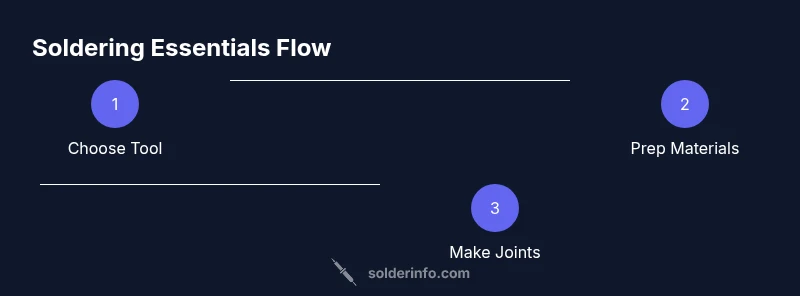
What Do You Need to Solder: A Complete Starter Guide
Learn what you need to solder, from essential tools to safety practices. This practical guide covers electronics, plumbing, and jewelry soldering with clear, actionable steps and expert tips from SolderInfo.


What you need to solder includes a reliable soldering iron, lead-free solder, flux, a heat-safe work surface, a stand, and basic accessories like tweezers and a helping hand. Safety gear and desoldering tools are optional yet highly recommended for clean work. Soldering requires compatible tools for electronics, plumbing, or jewelry purposes. Keep your workspace well-ventilated.
What do you need to solder: a practical toolkit
If you're wondering what you need to solder, start with a simple, reliable toolkit that covers electronics, plumbing, and jewelry tasks. At minimum, you need a soldering iron that you can regulate, lead-free solder, and flux to help joints wet properly. A heat-safe work surface, a stand, and basic accessories like tweezers and a helping hand keep your hands away from hot parts. Safety gear—eye protection and a well-ventilated area—reduces risk. Desoldering tools can be added later for repairs. According to SolderInfo, beginners who stock a well-chosen starter kit experience fewer frayed wires and cold joints because their workspace is organized and predictable. SolderInfo analysis shows that a structured toolset correlates with higher first-pass success rates for common soldering tasks. Keep your workspace ventilated and organized to make every project smoother.
Soldering irons and tips: choosing the right tool
The heart of any soldering project is the iron. For beginners, a dial- or digitally-controlled iron with a replaceable tip is ideal because it helps you adapt to different tasks without overheating. Select tips based on the job: fine-point tips for electronics, wider tips for plumbing and thicker wires. Temperature control is a big plus, as it reduces the risk of damage to delicate components and heat-sensitive plastics. For jewelry or heavier metal work, you may need a higher-wattage station with robust tips. Remember to pair the iron with a sturdy stand and a damp sponge or brass cleaning pad to keep tips clean and heat transfer efficient. Lead-free solder is recommended for safety and environmental reasons, especially in electronics work, while flux helps improve wetting and bond quality. As you gain experience, you may add a second iron or a hot-air station for specialized tasks.
Solder and flux: compatibility and types
Solder comes in different alloy compositions and forms. The most common for electronics is rosin-core, lead-free solder; for plumbing, plumbers often use a lead-free or leaded alloy depending on codes and the application. Flux is essential to reduce oxidation and promote wetting, making joints fill smoothly. Rosin flux is common for electronics because of its clean residues, while acid flux is used in plumbing and metalwork but requires thorough cleanup. When selecting flux, ensure it is compatible with your solder alloy and the base materials. Practically, a rosin-core lead-free solder paired with appropriate flux provides reliable joints for most hobby and repair projects. Always apply a thin, even layer of flux to the joint area before heating to improve flow and reduce oxidation.
Safety and workspace setup
Soldering generates fumes and hot surfaces, so setup matters as much as technique. Work in a well-ventilated area, ideally with a fume extractor or a dedicated fan. Safety goggles protect eyes from splashes, and a heat-resistant mat or board protects your work surface. Keep flammable materials away from your station, and store flux and chemicals in labeled containers. Ground yourself if you’re working with sensitive electronics to prevent static damage. A compact, organized workspace reduces mistakes and speeds up troubleshooting. SolderInfo emphasizes that a clean, safe environment correlates with higher quality joints and fewer accidents. Remember to unplug the iron when not in use and cool it completely before storing.
Workholding and ergonomics
Holding parts steady is essential for clean joints. Use third-hand tools, adjustable clamps, or a helping hand stand to keep components aligned without forcing your hands into awkward positions. A magnifier or loupe helps you inspect fine details on small PCBs and wires. If you work with small parts, consider a steady, low-profile workstation to minimize hand fatigue. Proper ergonomics reduce tremor and improve precision, especially during long solder sessions. Regularly adjust your posture and take short breaks to prevent strain. Soldering is a precision task, and stable workholding makes all the difference in joint quality.
Preparing components and boards
Before heating metal, clean surfaces remove oils and oxidation with isopropyl alcohol or appropriate cleaners. Tin the tip and, if needed, the lead ends of wires to ensure consistent solder flow. For PCBs, inspect for damaged pads or lifted traces; repair or mark these areas as needed before soldering. Apply a light coat of flux to help solder spread evenly across joints. Ensure components are fully seated and aligned to prevent short circuits. Good preparation reduces rework and improves first-pass success.
The basics of tinning and making a joint
Tinning the iron tip helps heat transfer to the workpiece. For wires and leads, trim ends cleanly and drizzle a small amount of flux, then melt solder to form a tiny fillet on the tip. Place the tip against the joint and feed solder to the opposite side, letting capillary action draw it into the joint. Remove heat and let the joint cool naturally, watching for a smooth, shiny surface with no gaps. For electronics, avoid overheating sensitive components and ensure smooth wetting across pads. Practice makes perfect; with time, joints become quick and reliable.
Common mistakes and how to fix
Cold joints, caused by removing heat too early or insufficient solder, appear dull and crumbly. Overheating can damage components or destroy pads; if you see scorching or melted plastic, stop and reassess. Oxidation on tips or pads prevents good wetting, leading to weak joints. Always clean the tip between joints and apply fresh flux as needed. If a joint looks suspect, reheat and reflow with a fresh amount of solder, ensuring full coverage. For repairs, desoldering braid or a pump can help remove old solder and allow a clean restart.
Post-solder care and maintenance
After finishing, wipe away flux residues with isopropyl alcohol, and store flux properly to avoid spills. Clean and tin your tip after cooling to prolong its life. Check the tip geometry and replace worn tips to maintain quality. Regularly inspect solder joints for cracks or voids and plan rework as needed. A tidy workstation pays off when you return to a project later. Proper maintenance reduces the need for premature tool replacement and keeps performance consistent.
Common project tips: electronics vs plumbing vs jewelry
Electronics soldering demands precision, small tips, and clean flux residues. Plumbing requires larger joints, heat sinks, and resistance to vibration; use heat shields and appropriate flux for metal-to-metal joints. Jewelry work benefits from a steady hand and refined, smaller tips, with careful temperature control to avoid melting delicate settings. For all projects, keep your iron clean, never touch live circuits with a powered iron, and work with a well-ventilated space. Understanding the material properties of each project improves results and reduces waste.
Quick reference cheat sheet
- Always work on a nonflammable surface and wear safety goggles.
- Tin your iron tip before starting and clean it regularly.
- Use flux to improve wetting and reduce oxidation.
- Choose tips appropriate to the task: fine for electronics, broad for plumbing.
- Practice on scrap pieces before working on real components. Soldering is a skill honed with repetition.
Next steps and practice projects
Begin with simple practice joints on copper wires and blank PCB scrap. Move to small through-hole components on a test board, then transition to more complex assemblies. Jewelry projects can start with basic ring or chain soldering using appropriate alloys and temperature control. The goal is consistent, clean joints and repeatable results. As you gain confidence, expand into mixed-material projects and more intricate boards. The SolderInfo team recommends documenting each session and reviewing your joints to identify patterns that need improvement.
Tools & Materials
- Soldering iron with adjustable temperature(Interchangeable tips preferred; aim for a stable, controllable heat.)
- Lead-free solder (rosin-core preferred for electronics)(Choose 0.8–1.0 mm diameter for hobby work.)
- Flux (rosin-core or paste)(Apply sparingly to improve wetting.)
- Soldering iron stand and cleaning sponge/brass pad(Keep tip clean and hot enough for proper wetting.)
- Tweezers and small pliers(For delicate components and wire handling.)
- Helping hands / third-hand tool(Stabilizes parts for precise joints.)
- Heat-resistant mat or silicone mat(Protects the workspace from heat.)
- Ventilation or fume extractor(Better air quality during soldering.)
- Desoldering braid and/or desoldering pump(Useful for repairs and rework.)
- Safety goggles(Eye protection against hot splashes.)
- Isopropyl alcohol and lint-free wipes(Clean residues after soldering.)
- Multimeter (optional for testing continuity)(Useful for electronics testing.)
Steps
Estimated time: 30-60 minutes
- 1
Set up a safe workspace
Clear the area, place a heat-resistant mat, and ensure good ventilation. Lay out all tools within easy reach and arrange components to minimize tangling. This foundation reduces accidents and speeds up your work.
Tip: Always unplug the iron when adjusting the setup. - 2
Power and test the iron
Plug in the iron and let it reach the target temperature. If your station has a temperature readout, verify it before you start. A steady, ready-to-use iron prevents cold joints and cold starts.
Tip: Test on a scrap piece to confirm heat transfer. - 3
Prepare components
Clean surfaces with isopropyl alcohol, trim wires squarely, and apply a light coat of flux where needed. For PCBs, inspect pads for damage and ensure correct orientation of parts.
Tip: Tin the wire ends slightly to improve solder flow. - 4
Tin the tip and prepare solder
Melt a small amount of solder on the tip to improve heat transfer, then wipe away excess on the sponge or brass pad. Ensure flux is applied where joints will form.
Tip: A properly tinned tip wets surface quickly and reduces trail marks. - 5
Position components
Place components on the workpiece with correct alignment. For boards, hold leads in place with tweezers or third-hand tool. Ensure no short circuits before applying heat.
Tip: Clamping parts prevents shifting during soldering. - 6
Apply heat and solder joint
Touch the tip to the joint and feed solder from the opposite side until a shiny fillet forms. Remove heat first, then remove the solder. Let the joint cool undisturbed.
Tip: Heat both surfaces evenly for better bonding. - 7
Inspect and rework if needed
Check for dull or cracked joints; they indicate a cold joint or insufficient solder. Reheat and reflow the joint if necessary. Clean up residues after inspecting.
Tip: Use a magnifier for tiny components. - 8
Clean up and store tools
Wipe the tip clean, unplug and let the iron cool safely, then store away components and cleaners. Label and organize tools to speed up your next project.
Tip: Regular tip maintenance extends tool life.
Quick Answers
Do I need to use lead-based solder for beginners?
For most beginners, lead-free solder is safer and compliant with current guidelines. It may require a slightly higher temperature and more flux to wet-but with practice, you’ll achieve reliable joints. Always work in a well-ventilated area and dispose of residues properly.
Lead-free solder is generally safer and recommended for beginners; use it with good ventilation and proper flux.
Can I substitute a heat gun for soldering?
A heat gun is not a substitute for controlled soldering; it can overheat components and cause damage. Use a proper soldering iron or hot air station designed for precise heat control, especially for electronics and jewelry work.
A heat gun is not a substitute for a soldering iron; use proper tools for precise heat control.
What is flux and why use it?
Flux reduces oxidation, improves solder flow, and protects the joint during heating. Use flux appropriate to your solder type and project, and apply a thin layer to ensure even coverage.
Flux helps solder flow and prevents oxidation, making joints cleaner and stronger.
How do I fix a cold solder joint?
If a joint looks dull or cracked, reheat the joint with fresh flux and apply more solder while maintaining contact until a smooth, shiny fillet forms. Allow it to cool without movement.
If a joint is dull, reheat with fresh solder and flux until you get a shiny, solid connection.
What project types should beginners start with?
Start with simple electronics on scrap boards, practice wiring on copper, and then progress to basic PCB assemblies. Plumbing and jewelry may come later as you gain confidence with heat control and technique.
Begin with simple electronics on scrap boards, then gradually take on plumbing or jewelry projects as you improve.
Watch Video
Top Takeaways
- Set up a safe, organized workspace before soldering.
- Choose tools appropriate to your project and practice consistently.
- Inspect joints for quality and maintain your equipment for longevity.