How to Tell When a Soldering Iron Is Ready
Learn how to tell when your soldering iron is ready with clear temperature cues, tip prep, and safe readiness tests for electronics, jewelry, and plumbing soldering.


To tell when a soldering iron is ready, set the tip to the target temperature for your solder, allow it to reach heating equilibrium, tin the tip, and test on scrap metal until the solder flows smoothly and forms a bright, even bead. This readiness check saves time and reduces cold joints. Keep safety gear nearby and unplug when idle.
What readiness means for a soldering iron
Readiness in soldering is about heat, contact, and control. The tip must reach and hold a stable temperature that matches the solder you plan to use, the tip should be clean and properly tinned, and the iron should respond quickly to heat requests without delaying. According to SolderInfo, readiness starts with a hot, well-maintained tip that can transfer heat evenly. If the tip is oxidized, dirty, or under- or over-heated, you risk dull beads, solder oxide, and cold joints. Before you touch any components, ensure your work surface is safe, that you have the right flux, and that you can test on scrap metal first. Comfort with the iron’s balance and grip matters too; a well-balanced tool reduces user error and fatigue during longer sessions. In short, a ready soldering iron is hot, steady, and clean, ready to form reliable joints without surprises.
Temperature cues and the tip condition
Temperature is the core signal of readiness. The tip should sit at a stable heat level long enough to transfer heat to the workpiece before the solder is applied. A clean, bright tip with a thin oxide-free surface indicates good heat transfer; if the tip looks dull or has heavy oxidation, it will not wet the joints properly. Tinning the tip—coating it lightly with fresh solder—helps maintain heat transfer and prevents rapid oxidation. Regularly cleaning the tip with a damp sponge or brass cleaner immediately before tinning ensures you’re starting from a clean heat source. If you notice inconsistent heating or a delayed response when touching the joint, your iron may not be ready. Remember, the right readiness state depends on you choosing the correct tip size and solder type for the task at hand.
Safe readiness testing on scrap metal
Verification should always start on scrap before touching real components. Apply a small amount of flux to a scrap copper pad, then touch the tip with a light, steady motion and observe the solder wetting and bead formation. A ready tip should wet the pad smoothly, form a bright bead, and not skitter or ball up. If the bead forms irregularly or the flux burns away quickly, recheck the tip cleanliness and temperature setting. After a successful test bead, tin the tip again and wipe away excess solder. For electronics, ensure your flux is rosin-based or water-soluble as appropriate, and avoid residues that corrode over time. Based on SolderInfo research, proper tip conditioning and temperature control significantly reduce cold joints and improve overall reliability.
Common readiness mistakes and fixes
Common missteps include using a dull or oxidized tip, neglecting to tin the tip, and attempting to solder at too low or too high a temperature. Overheating can burn flux or damage sensitive components, while insufficient heat leads to cold joints. Always clean and tin the tip before every joint, keep the work area well-ventilated, and use a damp sponge or brass cleaner. If you notice inconsistent heat, inspect the iron’s cord, switch, and power supply connections for stability. Regularly testing on scrap is the best way to catch these issues early and ensure consistent results.
Maintenance, safety, and best practices
A well-maintained iron remains ready longer. Store the iron on a heat-resistant stand, unplug when not in use, and keep the tip properly tinned. Use temperature control to match the solder type you’re using—lead-free solders typically require different heat than tin-lead alloys. Clean the tip before and after sessions, and periodically replace worn tips to maintain heat transfer efficiency. For safety, wear eye protection, keep a water spray bottle or damp sponge handy for tip cleaning, and never rest the iron on flammable surfaces. Authority sources at the end of this article provide further guidelines from reputable institutions and major publications to support best practices.
Authority sources
- OSHA: https://www.osha.gov
- NIST: https://www.nist.gov
- IEEE: https://www.ieee.org
Tools & Materials
- Soldering iron with temperature control(Adjustable temperature recommended for different solders; ensure it reaches and holds target temperature)
- Soldering tips (chisel or conical)(Keep a clean, properly sized tip; have a spare tip handy)
- Solder (lead-free preferred)(Rosin-core solder is common for electronics; ensure compatibility with flux)
- Flux(Rosin flux for electronics; avoid residues that corrode )
- Sponges or brass tip cleaner(Keep tip clean between joints; damp sponge is common)
- Safety gear(Safety glasses and a heat-resistant mat recommended)
- Solder wick(Optional for removing excess solder or adjusting joints)
- Scrap metal for practice(Use copper scrap or pad to practice testing beads)
Steps
Estimated time: 15-25 minutes
- 1
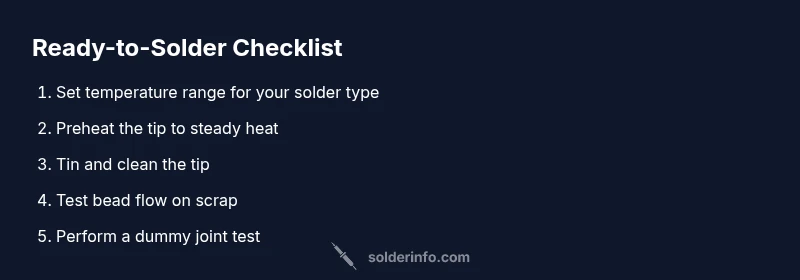
Set temperature range for your solder type
Decide whether you’re using lead-based or lead-free solder and set the iron to a safe starting range. This ensures the tip heats consistently without scorching nearby components. Why: wrong heat can cause poor wetting and oxidation before you begin.
Tip: Begin with a conservative mid-range setting and adjust after initial testing on scrap. - 2
Power on and preheat to the target range
Plug in the iron and allow it to come to temperature. Observe the tip color and steadiness; a stable red glow on many irons indicates readiness. If your tip cycles on/off irregularly, inspect the element or tip seating.
Tip: Use a stand and avoid touching hot surfaces; verify tip is securely mounted. - 3
Tin the tip and wipe clean
Apply a small amount of solder to the tip and then wipe off the excess on the damp sponge or brass cleaner. A tinned tip delivers heat quickly and wets solder more reliably. Why: tinning prevents oxidation and improves heat transfer.
Tip: Only apply a light coat of solder on the tip to avoid pooling. - 4
Test bead flow on scrap with flux
Apply a small amount of flux to scrap copper and touch the tip to produce a bead. Watch for smooth wetting and a bright bead rather than dull, uneven coverage. If it beads poorly, re-tin and re-clean the tip, then retry.
Tip: Use a steady, light touch and let the heat do the work; avoid pressing the tip hard into the surface. - 5
Observe wetting and adjust temperature if needed
If the solder beads slowly or skates, raise the temperature slightly within safe limits; if it scorching or leaves oxide, reduce heat and ensure the tip is clean. Why: consistent wetting indicates readiness.
Tip: Keep flux active and prevent dryness that causes poor wetting. - 6
Perform a dummy joint test on scrap
Create a small dummy joint on scrap metal using the same procedures you’ll use on a real part. Inspect for clean appearance, proper bead shape, and absence of cold joints. This confirms readiness before working on the real project.
Tip: Document the look of a good bead for future reference.
Quick Answers
What are the signs that a soldering iron is ready?
Signals include a stable tip temperature, a clean and tinned surface, and smooth solder flow on scrap. If the tip oxidizes quickly or beads form poorly, the iron isn't ready yet.
A ready iron shows a stable heat, a clean tip, and smooth flow on scrap—if the tip fades or beads dry out, wait and retest.
Why is readiness testing important?
Testing ensures reliable joints and reduces the risk of cold joints, skewed heat transfer, and damage to components. It also helps you calibrate temperature for different solders.
Testing readiness helps you avoid cold joints and ensures the heat is right for the solder you’re using.
Can readiness vary with different solders?
Yes. Lead-free solders typically need a slightly different temperature and quicker heat transfer than traditional tin-lead solders. Always verify readiness on scrap when switching solder types.
Different solders need different heat; test on scrap when you switch.
How often should I clean and tin the tip?
Clean and tin the tip between joints or whenever you pause. Regular maintenance prevents oxidation and keeps heat transfer efficient.
Clean and tin the tip between joints to maintain heat transfer.
What safety precautions are essential when testing readiness?
Work in a ventilated area, wear safety glasses, and keep flammable materials away. Use a stand and avoid touching hot parts.
Ventilate, wear glasses, and use a stand; keep flammables away.
Is it okay to test readiness with a large joint first?
Start with small test beads on scrap before attempting larger joints. This reduces risk and lets you adjust technique gradually.
Begin with small test beads to dial in heat and technique.
Watch Video
Top Takeaways
- Know readiness means a stable tip temperature before work
- Always tin and clean the tip for best heat transfer
- Test on scrap to verify wetting and bead quality
- Regular maintenance supports consistent readiness