adafruit guide to soldering: a practical how-to for beginners
A comprehensive, beginner-friendly guide to soldering inspired by Adafruit tutorials, covering tools, safety, step-by-step techniques, troubleshooting, and a hands-on mini-project for electronics hobbyists.


This guide helps you master soldering basics with a beginner-friendly, Adafruit-inspired approach. You will learn tool setup, safe practices, a step-by-step technique, and a small project to practice. By following this, you’ll build robust solder joints and reduce common mistakes. Whether you’re repairing a circuit or assembling a hobby kit, this guide offers practical, iterative steps and safety reminders.
adafruit guide to soldering foundations
This section introduces the adafruit guide to soldering as a practical, beginner-friendly path to confident hands-on electronics work. The goal is to demystify heat, flux, and joints so you can tackle everything from tiny sensor boards to simple LED circuits. As you read, you’ll notice a steady emphasis on safety, clean technique, and repeatable steps. According to SolderInfo, a well-structured tutorial paired with deliberate practice yields durable joints and higher success rates for newcomers. We’ll unpack core concepts, then move into tools, techniques, and a small project you can complete with common hobbyist parts. The adafruit guide to soldering is designed to scale with your growing skills, so start with the basics and build toward more complex assemblies over time.
- The core idea is simple: good joints begin with good heat control, clean surfaces, and properly prepared metal.
- You’ll learn to identify dull, grainy, or bridged joints and how to correct them without damaging nearby traces or components.
- Throughout, remember that safety comes first: protect your eyes, manage fumes, and unplug the iron when not in use. The adafruit guide to soldering blends practical steps with a calm, repeatable workflow to prevent frustration and errors.
Tools & Materials
- Soldering iron with adjustable temperature(Choose a model with a stable heat profile and a fine tip suitable for electronics)
- Lead-free rosin-core solder(Choose a diameter appropriate for hobby projects; avoid excessive solder for small joints)
- Flux pen or flux paste(Flux improves wetting and prevents oxidation during heating)
- Soldering stand(A safe holder to keep the hot iron when not in use)
- Helping hands / third-hand tool(Useful for stabilizing small parts during soldering)
- Safety glasses(Eye protection against splashes or accidental splatter)
- Ventilation or fume extractor(Keeps fumes away from your face and workspace)
- Solder wick or desoldering pump(Helpful for correcting bridges or excess solder)
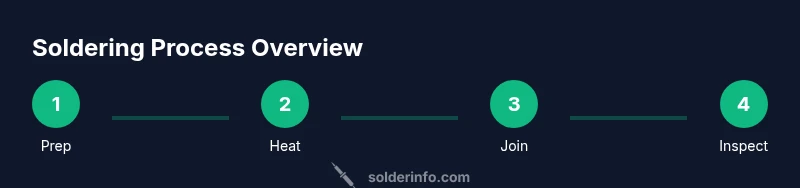
Steps
Estimated time: 45-60 minutes
- 1
Prepare the workspace
Clear the area, lay down a heat-resistant mat, and ensure good ventilation. Organize components and tools so you can reach everything without crossing heat paths. Wipe the tip on a damp sponge to remove old residue before starting. This initial setup minimizes mistakes and ensures consistent heat transfer.
Tip: Set up a dedicated, distraction-free zone to improve concentration and results. - 2
Tin the iron tip
Heat the iron and apply a small amount of solder to tin the tip. This improves heat transfer and prevents oxidation on the tip between joints. Wipe excess solder off on a sponge and keep the tip clean as you proceed.
Tip: Tinning the tip early saves time later and helps avoid cold joints. - 3
Position the component and pad
Place the component leg on its pad and bring the iron to the joint. Avoid tilting the iron; contact the pad and the component lead briefly to heat both surfaces evenly. Proper alignment prevents miswiring and ensures a neat joint.
Tip: Keep components stable with tweezers or helping hands while heating. - 4
Apply heat and solder to the joint
Apply the iron tip to the pad and component lead, then touch solder to the joint, not the tip of the iron. Let the solder flow and fill the joint, creating a smooth, shiny fillet. Remove heat quickly once the joint is filled to avoid overheating nearby parts.
Tip: Solder should flow smoothly; if it beads or bridges, stop and reheat with a fresh clean surface. - 5
Inspect the joint and cool
Look for a shiny, concave fillet with good wetting around the lead. If you see a dull or grainy joint, rework it by reheating and reflowing the solder. Allow the joint to cool undisturbed for a moment to set properly.
Tip: Use a magnifier if needed to check for gaps or bridges. - 6
Clean up and re-tin the tip
Wipe away flux residue and re-tin the tip to protect it for the next use. Store the iron safely in its stand. This routine maintains tip life and readiness for future projects.
Tip: Regular tip maintenance reduces future cleaning effort. - 7
Practice with a test pad
Before working on your project board, practice on a scrap pad with a variety of pad sizes. This builds confidence with heat control and joint quality without risking your main parts. Each practice session reinforces correct technique.
Tip: Repeat a few different joint sizes to build versatility. - 8
Shutdown and maintenance
Turn off and unplug the iron, allow it to cool, and store tools in a dry, organized space. Periodically check tips for wear and replace when needed. Good habits here extend tool life and ensure safety.
Tip: Always unplug before leaving the workbench unattended.
Quick Answers
What is the best flux for electronics soldering?
For electronics, use rosin-based flux or no-clean flux designed for electronics. Flux improves wetting and reduces oxidation during heating. Avoid resin flux that leaves corrosive residues unless you clean it properly.
For electronics, use rosin-based or no-clean flux to improve flow and prevent oxidation.
Can I use leaded solder?
Lead-containing solders are common but pose environmental and health concerns. If allowed in your environment, use proper ventilation and disposal, otherwise opt for lead-free solder with no-clean flux.
Leaded solder exists, but lead-free options are safer and widely recommended.
Do I need a temperature-controlled iron?
A temperature-controlled iron helps prevent overheating delicate components and reduces damage. For beginners, a basic unit with adjustable temperature is sufficient, provided you test on scrap boards first.
A temperature-controlled iron is helpful for safety and precision, especially for small parts.
What’s the difference between lead-free and leaded solder?
Lead-free solder is safer and typically requires a slightly different flux and heat profile. Leaded solder flows more easily but carries health and environmental concerns. For hobby projects, lead-free is generally recommended.
Lead-free solder is safer, though it may require slightly different heat handling.
How do I fix a cold solder joint?
A cold joint occurs when there isn’t enough heat or solder flow. Reheat the joint gently, apply a small amount of solder, and reflow until the surface is smooth and shiny.
Reheat the joint and apply a bit more solder to ensure a clean, shiny finish.
Is soldering dangerous and what safety precautions are essential?
Soldering involves hot tools and fumes. Always use eye protection, good ventilation, and avoid inhaling fumes. Keep flammables away and unplug tools when not in use.
Soldering can be safe with proper ventilation and gloves for protection.
Watch Video
Top Takeaways
- Master heat control for reliable joints
- Tin the tip and clean surfaces before soldering
- Use flux to improve wetting and reduce oxidation
- Inspect joints with magnification for quality control
- Practice on scrap boards before real projects