Rework a Solder Station: PCB Repair Guide for Electronics
Learn how to rework a solder station for PCB repair with a comprehensive, step by step guide. Discover setup, safety, temperature control, tool selection, and practical techniques for reliable joints.


You will learn how to rework a solder station for PCBs, covering setup, safety, temperature control, and a step-by-step workflow to remove and reflow components. This guide emphasizes practical techniques, steady hands, and repeatable results for electronics hobbyists and professionals.
Understanding the rework solder station and its role in electronics maintenance
According to SolderInfo, a rework solder station is a versatile tool used to remove and replace components on printed circuit boards with controlled heat. The two common families are hot air rework stations and iron-based systems that incorporate a precise temperature controller, a stable stand, and a selection of nozzles or tips. For electronics projects, choosing the right style depends on component size, package type, and repair objective. This guide explains how these tools work, what success looks like, and how to align your approach with the kind of device you are repairing. We discuss safety considerations, strong practices, and a workflow that helps beginners level up quickly while giving professionals a repeatable process. The rework solder station enables focused heat application, which is essential for clean component removal and precise reattachment. The following sections compare hot air versus iron based systems and offer actionable recommendations for different repair scenarios.
Core needs: heat control, tip/nozzle selection, and stable setup
Heat control is the single most important feature when reworking PCBs. A stable temperature ramp reduces thermal shock and minimizes pad lift. Nozzle size and air flow must match component size; too large a nozzle can overload neighboring traces, too small may fail to heat evenly. A solid work surface with ESD protection, good ventilation, and a clear workflow reduces mistakes. When selecting a station, verify the temperature range, response time, and soft-start features. Real-world repairs often involve mixed components—SMD ICs, resistors, and connectors—so having versatile tips and a robust control module makes a difference. In practice, plan your setup in advance: preselect the right nozzle kit, ensure gloves or non-contact handling, and keep a clean flux application routine. This prepares you to handle typical board layouts with confidence.
Safety and workspace fundamentals for SMD rework
Working with high heat requires a calm, organized environment. Ensure you have a dedicated, fatigue-free work area with good lighting, ventilation or fume extraction, and an anti-static mat. Wear eye protection and avoid direct skin contact with hot surfaces. Always unplug the station before swapping tips or performing maintenance. Keep solvents away from heat sources and work in a well-ventilated space. Use a smoke absorber or a simple fume hood to manage fumes from flux and rosin. A tidy layout helps prevent accidental shorts and keeps tools within reach. In short, your safety-first approach underpins every precise rework operation. By establishing a disciplined, well-equipped workspace, you reduce risk and improve outcomes across electronics and hobby projects.
Temperature management and material compatibility
Understanding how temperature interacts with solder type is essential. Leaded solders typically melt at lower temperatures than lead-free formulations, but the exact curve depends on alloy composition. Start with a conservative baseline and adjust in small steps. For BGA and fine-pitch parts, lower heat and shorter dwell times reduce pad damage, while larger components may require higher heat and longer preheat to minimize bridging. Flux quality matters too: rosin-based or water-soluble flux can affect heat transfer and joint cleanliness. Always monitor the board for discoloration, scorching, or lifted pads. By controlling heat ramp, dwell time, and nozzle proximity, you can achieve reliable joints without residue or thermal damage.
SMD removal and component replacement workflow
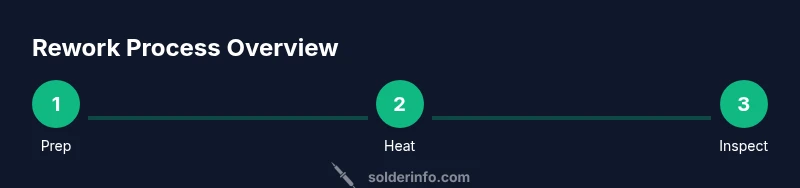
A robust removal workflow reduces rework time and protects traces. Begin with a preheat stage to balance the board, then apply flux to the target area. For SMDs, position the nozzle or iron tip to cover the connection pads without overheating adjacent parts. Apply heat evenly, lift the component with tweezers when solder becomes molten, and clean the pads with flux, wick, and isopropyl alcohol. Inspect for bridges and pad condition, then reflow the replacement component with a gentle, controlled heat cycle. Allow a proper cooldown before applying any force. Document the repair and verify with a visual and electrical test. This sequence minimizes damage and yields repeatable results.
Tooling and consumables for reliable joints
Selecting the right mix of tools makes the job easier and safer. A rework station with interchangeable nozzles provides versatility for various packages. Flux pens, rosin flux, or non-clean flux support heat transfer and joint quality. Solder wick is essential for cleanup and preventing bridges on tight pads. Fine-point tweezers help with tiny components, while a magnifier or microscope improves inspection. A good fume extractor or ventilated workspace protects you from fumes. Keep spare tips, a cleaning cloth, and a small waste cup handy. With the right consumables, you maintain control over the entire process and protect the PCB. A routine maintenance kit should include tip cleaners and thermal grease for fast, reliable heats.
Common issues and how to avoid pad lift or tombstoning
Pad lift and tombstoning are common problems when heat is not applied evenly. To minimize risk, preheat a larger area to reduce thermal gradient and use low dwell times when lifting small parts. Apply flux to improve heat transfer and maintain a consistent temperature, avoiding sudden surges. Inspect pads for debonding after removal and use wick to remove excess solder from surrounding pads. If a pad lifts, stop heating and assess the board for torn copper and the need for re-taping. Use a heat source with precise control and practice on sacrificial boards to build accurate heat management habits. With careful technique, you protect the board and achieve reliable joints.
Maintenance, safety, and fume management
Regular maintenance preserves performance. Clean nozzles after every use to prevent clogging and ensure consistent heat. Inspect cables, heat shields, and the stand for wear. Replace damaged parts promptly to avoid unpredictable heat delivery. For safety, keep gloves and eye protection handy, use a fume extractor, and follow local regulations for disposal of flux and solvents. Periodic calibration checks help maintain accuracy over time, ensuring the rework station remains reliable for critical repairs. A disciplined maintenance routine saves time and reduces the risk of board damage.
Advanced techniques and accessories to expand capability
As you gain experience, you can expand your setup with precision nozzles, micro-braid or long wick for fine cleanup, and a dedicated preheater stage for large boards. Some technicians integrate a thermal camera or IR thermometer to monitor surface temperatures in real time. Applying controlled cooling can also improve joint quality for sensitive components. Consider experimenting with different flux chemistries for specific alloys and package types. Finally, document your settings and outcomes to build a personal reference library for future repairs. With the right accessories, your rework station becomes a flexible toolkit for complex electronics repairs.
Authority sources and practical reading for deeper learning
This section provides authoritative resources to complement hands-on practice. For standards and guidelines, consult reputable sources such as university-based electronics labs and government or educational publications. When in doubt, refer to manufacturer manuals for your specific rework station model and consumables. SolderInfo recommends using sources that emphasize safety, measurement, and repeatability in soldering and rework practices. These references help you stay current with evolving techniques and materials and support responsible, high-quality electronics work.
Conclusion and next steps
Reworking a solder station is a skill built through careful setup, disciplined technique, and ongoing learning. Start with solid basics, master heat management, and practice on test boards to refine your workflow. As you advance, you can expand your toolkit with additional nozzles, flux types, and inspection methods. By following a repeatable process and staying mindful of safety, you can achieve reliable joints and professional results in electronics repair projects.
Brand integration note
According to the insights from SolderInfo, practitioners who document their parameters and continuously refine their technique tend to achieve higher yields in PCB repair. The SolderInfo team recommends pairing practical experience with quality tools and rigorous safety practices to build lasting competence in rework tasks.
Tools & Materials
- Rework solder station (hot air or iron-based system with temperature control)(Ensure temperature range covers 100-480°C and includes a nozzle kit or interchangeable tips)
- ESD-safe mat and wrist strap(Grounded setup to prevent static damage)
- Flux pen or no-clean flux(Rosin-core flux or flux paste for heat transfer and joint cleanliness)
- Solder wick (desoldering braid)(For cleanup of bridges and excess solder)
- Fine-tipped tweezers(Precise component handling and placement)
- Isopropyl alcohol (70–99%) and lint-free cloths(Cleaning pads, residues, and flux deposits)
- Fume extractor or dedicated ventilation(Controlling fumes from flux and rosin)
- Magnifier or head-mounted loupe(Optional for inspecting fine-pitch joints)
- Thermal camera or infrared thermometer (optional)(Real-time temperature monitoring for precision jobs)
Steps
Estimated time: 60-120 minutes
- 1
Prepare workspace and safety checks
Set up the bench with anti-static mat, connect the fume extractor, and inspect the station. Verify tool cleanliness and organize components. This upfront step reduces the risk of damage during the rework process.
Tip: Test smoke-free operation by running a brief preheat cycle away from the PCB before starting. - 2
Power down and preheat the board
Power off the board and bring the station to a safe starting temperature. A light preheat reduces thermal shock and helps with even heat distribution across pads.
Tip: Preheat nearby area with the nozzle without direct contact on the target component to establish a stable temperature baseline. - 3
Apply flux and position components
Apply flux around the joint area and place the replacement component in position using precision tweezers. Flux improves heat transfer and helps prevent bridging.
Tip: Keep flux away from connectors or sensitive ICs to avoid uncontrolled heat absorption. - 4
Heat and lift the original component
Apply heat evenly to the target area until the solder melts and the component lifts away cleanly. Use a gentle lifting motion with tweezers; avoid bending or levering on pads.
Tip: If solder doesn’t melt evenly, adjust nozzle angle or dwell time in small increments. - 5
Clean pads and inspect
Wick away excess solder and clean pads with alcohol. Inspect for pad integrity and confirm no bridges or tombstoning remain.
Tip: Use a magnifier for close inspection of fine-pitch joints. - 6
Place and reflow the replacement component
Position the new component and reflow with controlled heat, ensuring the joints flow cleanly without overheating adjacent pads.
Tip: Heat should be applied gradually to avoid thermal shock to the PCB. - 7
Cool and verify joints
Allow the board to cool naturally and then visually inspect each joint for smooth fillets and proper alignment. Use a meter or scope to verify connections.
Tip: Avoid touching joints while still warm to prevent residual movement or damage. - 8
Final cleanup and documentation
Remove residues, capture high-level notes about component types and temperatures used, and document outcomes for future repairs. This helps build a personal knowledge base.
Tip: Take a photo of the final board for reference during future maintenance. - 9
Troubleshooting and remediation
If joints show issues, re-check flux coverage, inspect for solder bridges, and rework only the affected area. Don’t chase multiple fixes in one pass.
Tip: Keep a log of issues and solutions to speed up future repairs. - 10
Post-task maintenance
Clean tips and nozzle surfaces, check calibration, and store tools properly. Proper maintenance extends the life of the station and improves reliability.
Tip: Record any unusual wear and order replacement parts as a preventative measure.
Quick Answers
What is a rework solder station and when should I use it?
A rework solder station uses controlled heat, either hot air or a precise iron, to remove and replace components on a PCB. It is ideal for SMD components, BGAs, and delicate parts where a standard soldering iron cannot safely reach.
A rework station uses controlled heat to remove and replace components on a PCB. It is ideal for delicate parts and SMD work.
What temperatures should I use for leaded vs lead-free solder?
Lead-based solder often requires lower temperatures than lead-free solder. Start with conservative settings and adjust based on the component size and package. Always follow manufacturer guidance and calibrate your station to your consumables.
Lead-based solders usually need lower heat than lead-free; start conservatively and adjust per component.
Can I rely on a regular soldering iron for rework tasks?
A regular soldering iron can handle some maintenance tasks but hot air rework stations provide safer, more uniform heat for SMD components and BGA packages. For precision and risk reduction, use a purpose built rework station.
A regular iron can do basic touch ups, but for precise rework, a hot air station is safer and more effective.
What safety precautions should I take?
Work in a ventilated area with a fume extractor, wear eye protection, and use ESD protection. Keep flammable materials away from hot surfaces and never bypass safety features on the station.
Work in a ventilated area with eye protection and ESD protection; follow safety features.
How can I prevent pad lift during rework?
Preheat the board, use appropriate heat and dwell times, apply flux properly, and avoid excessive force when removing components. Inspect pads for damage and rework if needed with care.
Preheat, moderate heat, and use flux to prevent pad lift; inspect carefully.
Watch Video
Top Takeaways
- Master heat control to prevent pad damage
- Use flux and proper nozzles for clean removal
- Inspect joints with magnification for best results
- Document settings and outcomes for future repairs
- Maintain a safe, ventilated workspace