Learning to Solder Electronics: Step-by-Step Guide
A comprehensive, step-by-step guide to learning to solder electronics, covering safety, tools, techniques, common pitfalls, and beginner-friendly practice projects for builders and makers.


You will learn the essential steps to solder electronics safely and effectively, from setting up a work zone to forming solid joints on simple circuits. This guide emphasizes flux use, heat control, and clean joints, enabling confident, repeatable results in hobby and professional projects.
Why learning to solder electronics matters
Learning to solder electronics opens doors for DIY enthusiasts, electronics hobbyists, and professional makers alike. According to SolderInfo, this foundational skill empowers you to repair devices, prototype circuits, and customize projects with reliability. The journey starts with understanding why good joints matter: a well-soldered connection reduces intermittent faults, minimizes resistance, and improves long-term durability. As you learn, you’ll build a mental checklist for planning each joint, selecting the right flux, and choosing compatible solder alloys. The process takes patience, but the payoff is versatility: you can upgrade a flashlight, repair a broken power lead, or wire a sensor with confidence. Mastery grows with deliberate practice, safe habits, and a disciplined workspace that keeps components protected and accidents at bay.
Safety first: setting up your workspace
A safe workspace is the foundation of successful soldering. Choose a well-ventilated area, preferably with a fume extractor or a small fan that directs fumes away from your face. Wear safety glasses and avoid loose clothing that could catch on hot tools. Keep a fire-safe mat or ceramic tile under your project and have a scrap piece of copper or a damp sponge to clean the iron tip. Static-sensitive components benefit from an anti-static mat and grounding wrist strap. Keep liquids away from the work surface to prevent spills that can cause corrosion or electrical shorts. Finally, organize tiny parts in containers to prevent losing them during the build. When you learn to solder electronics, you’ll also learn to keep your workspace tidy, which translates into fewer mistakes and better results.
Core techniques you’ll use
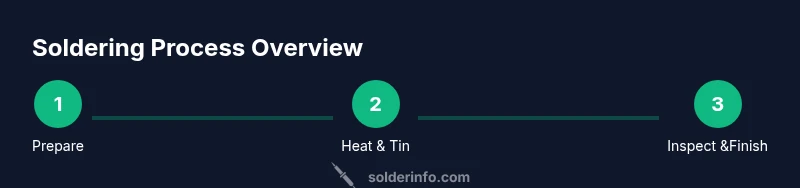
Soldering boils down to a few core techniques that consistently produce reliable joints. First, apply flux to the joint to improve wetting and reduce oxidation. Next, tin the tip of the soldering iron so it heats quickly and transfers solder efficiently. Place the component lead and the pad, then heat both with the iron and feed solder to the joint, not to the iron. The goal is a shiny, conical fillet that wets both surfaces evenly. Use the smallest amount of solder that forms a solid joint to avoid shorts and bridges. Practice making joints on scrap boards to inspect wetting, symmetry, and termination. Cleaning the flux residue after cooling helps prevent corrosion and ensures a clean finish. By focusing on heat control and clean technique, you’ll progress from simple wires to more intricate surface-mount work.
Common challenges and troubleshooting
Even skilled beginners encounter issues when learning to solder electronics. Cold joints feel dull and can crack under strain; tombstoning makes one end of a component lift away; overheating can damage heat-sensitive parts; bridges occur when excess solder links adjacent pads. When a joint looks dull or has a rough surface, reheat it gently and add a touch more solder with light pressure. For bridged joints, reflow the joint and remove excess solder with desoldering braid. If a component heats up quickly, pause, let things cool, and adjust your iron temperature or technique. Regular inspection with a loupe helps you spot micro-cracks and incomplete wetting before the fault propagates. Remember, learning to solder electronics is a skill built through steady practice and mindful observation.
Practice projects to build confidence
Begin with simple practice boards that combine LEDs, resistors, and small connectors. A common starter project is a basic LED circuit on a breadboard or perforated board to learn joint formation, flux use, and clean-up. Next, try replacing a soldered wire in a USB cable or a small DC motor power lead to build confidence handling thicker wires and insulation. As you improve, attempt a two- or three-component sensor circuit, learning to manage different lead spacings and pad sizes. Document each project with clear photos and notes to track your progress. Practice will reveal when you need to adjust tip geometry, flux type, or heating duration to achieve consistent results. The goal is repeatability: each joint should be as reliable as your first good one.
Next steps to advance learning
After you’ve built confidence with basic circuits, explore surface-mount soldering on small PCBs to understand fine pitch challenges and reflow concepts. Experiment with different flux formulations to see how they affect wetting and cleanup. Start incorporating basic troubleshooting into your workflow: measure resistance, inspect joints under a magnifier, and compare your joints to reference images. Gradually increase complexity by adding connectors, shields, or multi-layer boards. Throughout this journey, keep safety at the forefront, maintain an orderly workspace, and practice regularly to reinforce muscle memory and problem-solving instincts.
Tools & Materials
- Soldering iron (temperature-controlled preferred)(Choose a tool around 25-60W with a stable temperature setting suitable for electronics.)
- Lead-free rosin-core solder(DIN/ROSIN-core for electronics; avoid leaded solders unless working on legacy gear and regulations permit.)
- Soldering iron stand and cleaning sponge(Keeps the iron safely stored and tips clean for better heat transfer.)
- Flux (rosin-based)(Flux improves wetting and reduces oxidation during joints.)
- Desoldering braid (solder wick)(Useful for correcting bridges and removing excess solder.)
- Wire cutters/strippers(Trim leads cleanly and avoid nicking copper.)
- Safety glasses(Protect eyes from hot solder splashes and flux fumes.)
- Third-hand tool or helping hands(Helpful for holding components steady during soldering.)
- Magnifier or loupe(Useful for inspecting small or dense joints.)
- PCB board, perfboard, or breadboard, with basic components (LEDs, resistors)(For hands-on practice projects.)
Steps
Estimated time: 45-60 minutes
- 1
Prepare your workspace and safety gear
Clear the area, organize parts, and put on safety glasses. Set up ventilation and a non-flammable mat. Place a breadboard or small test board within easy reach and prepare your components. This step ensures you won’t rush into soldering and reduces the risk of accidents.
Tip: Take a few minutes to verify the iron is cool before plugging it in and never touch the tip with bare skin. - 2
Test and set up your soldering iron
Plug in the iron and allow it to reach a stable temperature suitable for electronics work. Use a damp sponge or brass sponge to keep the tip clean. Confirm that the tip is properly tinned and ready for heat transfer.
Tip: Keep the tip clean; a dirty tip requires more heat and leads to poor joints. - 3
Tin the tip and apply flux
Apply a small amount of flux to the joint area. Lightly touch the solder to the heated tip to tin it, then let the flux do the work of guiding the solder to the joint surfaces.
Tip: Tin the tip to promote fast heat transfer and avoid cold joints. - 4
Position components and heat the joint
Place the component lead and pad in contact. Heat both surfaces with the iron, then feed solder to the joint, not directly onto the iron. Remove heat as soon as the solder flows and forms a shiny fillet.
Tip: Feed solder in a steady, controlled amount to avoid excess bridges. - 5
Inspect and rework if needed
Check for a smooth, shiny, conical joint. If the joint looks dull or has a ball-like appearance, reheat and apply a touch more solder. Use desoldering braid to remove excess solder if a bridge forms.
Tip: A good joint should look like a tiny volcano with a clean ring of solder around the pad. - 6
Clean up and test the circuit
Wipe away flux residue with isopropyl alcohol. Recheck connections with a multimeter or continuity tester. Test the circuit at a low power supply to confirm operation and look for intermittent faults.
Tip: Flux residue can be corrosive over time; cleaning improves durability. - 7
Practice with a simple project
Repeat with a basic LED-resistor circuit or a simple sensor module to reinforce technique. Document your joints visually to track progress and identify areas for improvement.
Tip: Consistent practice builds muscle memory and confidence. - 8
Plan ahead for advanced techniques
As you improve, experiment with surface-mount parts, higher-density boards, and more complex connections. Keep learning resources handy and maintain a habit of reviewing your joints critically.
Tip: Move at a comfortable pace; progress comes from deliberate, repeatable practice.
Quick Answers
What is the best basic setup for a beginner’s soldering station?
A basic setup includes a temperature-controlled soldering iron, lead-free rosin-core solder, flux, a stand with a cleaning sponge, safety glasses, desoldering braid, and a small test board. Keep components organized and ensure proper ventilation.
Start with a temperature-controlled iron, flux, and safety glasses; then add the stand and a clean workspace.
Do I need flux for all soldering tasks?
Flux helps prevent oxidation and improves joint quality. It is recommended for most hand-soldering tasks, especially when joints are difficult to wet. It can be used with or without flux-core solders depending on the solder.
Flux makes it easier to form solid joints and is usually a good idea for beginners.
Can I solder with a non-temperature-controlled iron?
A basic unregulated iron can work for simple tasks, but it’s harder to control heat and may damage sensitive components. For consistent results, use a temperature-controlled iron designed for electronics.
A regulated iron is much safer for beginners and helps prevent overheating parts.
What are common signs of a bad solder joint?
Common signs include a dull or cracked appearance, a blob that looks like a lump, a joint that easily moves, or a circuit that intermittently fails. Rework joints that show any of these signs.
Look for dull, rough joints or joints that crack when touched; rework them.
What safety precautions should I follow?
Always wear eye protection, work in a well-ventilated area, avoid loose clothing, keep flammables away, and unplug equipment when not in use. Use an anti-static mat for sensitive components.
Wear safety glasses, ventilate the area, and keep things organized and unplugged when not soldering.
What beginner projects are good to start with?
Start with simple LED and resistor circuits on a perfboard or breadboard, then move to small sensor modules or a basic power lead repair to practice termination and joint consistency.
Begin with small LED projects to learn steady hand control and proper soldering technique.
Watch Video
Top Takeaways
- Learn the fundamentals of heat, flux, and clean joints
- Set up a safe, organized workspace before soldering
- Practice with simple circuits to build confidence
- Master inspection and troubleshooting for reliable joints